Premium accessories for iPhone 18. Shop now


USB-C and USB Hubs
USB-C and USB hubs add HDMI, Gigabit Ethernet, SD, and USB-A ports to a single laptop port, with pass-through charging so you stay powered. Built for Mac, Windows, and Chromebook at work, home, or on the go.


- Featured
- Newest
- Best Seller
- Top Rated
- Price: Low to High
- Price: High to Low
https://www.belkin.com/products/docks-hubs/usb-usb-c-hubs/?start=0&sz=12


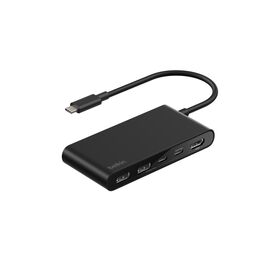


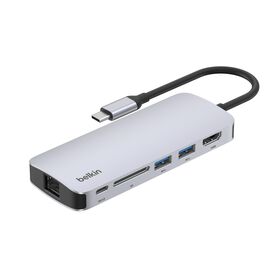
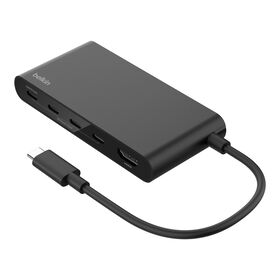

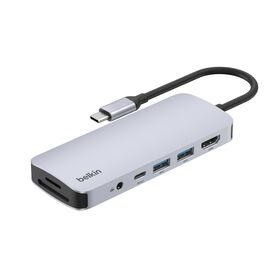
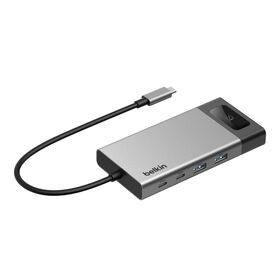


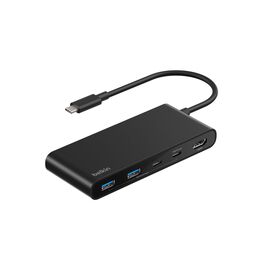

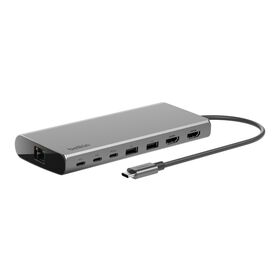
USB-C Hubs and USB Hubs for Every Setup
A USB-C hub turns one port into many, adding HDMI, Gigabit Ethernet, SD card readers, and extra USB-A and USB-C connections so a single laptop can run a full desk of peripherals. Powered models pass up to 100W of charge back to the laptop, so you can connect a monitor, keyboard, drive, and wired internet through one cable while your laptop keeps charging.
Belkin's range covers every setup: a pocket-sized 4-in-1 for travel, 5-in-1 to 7-in-1 hubs for photo and video work, and the Universal 8-in-1 Core Hub that drives two displays on both Mac and Windows. If you want a permanent desk setup with more ports and multiple monitors, a full docking station may be the better fit.
Compare Belkin USB-C Hubs
Every Belkin USB-C hub turns one USB-C port into several, but they differ in ports, video output, wired Ethernet, and pass-through charging. Use this table to match a hub to how you work, from a pocket-sized travel adapter to a dual-display core hub for the desk.
| Hub | Ports | Video Out | Ethernet | Power (PD) | Best For |
|---|---|---|---|---|---|
| USB-C 4-in-1 Multiport Adapter | 4: HDMI, 2x USB-A, USB-C | Single 4K at 30Hz | No | Up to 100W | Ultra-compact travel adapter for one display plus charging |
| USB-C 5-in-1 Multiport Hub | 5: HDMI, SD, microSD, 2x USB-A | Single 4K at 60Hz | No | None | Photo and video creators wanting dual card readers plus 4K60 |
| USB-C 6-in-1 Multiport Hub | 6: HDMI, Gigabit Ethernet, SD, USB-C, 2x USB-A | Single 4K at 60Hz | Gigabit | Up to 100W | Home-office hub that adds wired Ethernet, 4K60, and charging |
| USB-C 7-in-1 Multiport Hub | 7: HDMI, SD, microSD, USB-C, 2x USB-A, 3.5mm audio | Single 4K at 60Hz | No | Up to 100W | Creators needing SD, microSD, and 3.5mm audio with 4K60 |
| Universal USB-C 8-in-1 Dual Display Core Hub | 8: 2x HDMI, 3x USB-C, 2x USB-A, Gigabit Ethernet | Dual 4K (universal driver, Mac and Windows) | Gigabit | Up to 100W | Dual-display setups across mixed Mac and Windows laptops |
Learn More About USB-C Hubs
-
 USB-C Hubs, Docks & Adapters: How to Choose
-
 9 Best USB-C Dock Features to Optimize Your Flow
-
 What Is USB-C? The Complete Guide
-
 Docking Stations: The Ultimate Buying Guide
-
 USB-C Power Delivery: Fast Charging Up to 240W
-
 DisplayPort vs HDMI: Which Do You Need?
-
 What Is Thunderbolt? The Ultimate Guide
-
 Thunderbolt 5: The Complete Next-Gen Guide
-
 New: Belkin Connect USB-C 11-in-1 Pro GaN Dock 150W
-
 USB-C Charging Explained: Safety and FAQs
-
 Connect Smart and Stay Productive
USB-C Hubs: Your Questions Answered
A USB-C hub plugs into a single USB-C port and splits it into several connections at once, typically adding HDMI, USB-A, an SD card reader, Gigabit Ethernet, and pass-through charging. Belkin's USB-C 6-in-1 Multiport Hub is a good example, adding six ports to a laptop through one cable.
It turns one USB-C port into a full workspace, so you can connect a monitor, keyboard, mouse, drives, wired internet, and memory cards to a laptop at the same time. Creators often reach for a hub like the USB-C 7-in-1 Multiport Hub that adds SD, microSD, and 3.5mm audio alongside 4K HDMI.
Many do, through a feature called pass-through Power Delivery: you plug your laptop charger into the hub's USB-C power port and the hub keeps your laptop charged while it runs everything else. Belkin hubs and docks such as the USB-C 11-in-1 Multiport Dock support up to 100W pass-through charging.
A standard USB-C hub drives one external display, while dual-display models add a second. For two monitors on both Mac and Windows laptops, the Universal USB-C 8-in-1 Dual Display Core Hub uses a built-in display driver, so it works even on laptops without native multi-monitor support.
Most USB hubs offer 4 to 10 ports, and larger docking stations go further. Belkin's range spans a compact 4-in-1 up to the 14-Port USB-C Docking Station, so you can match the port count to your desk setup.
A hub is compact and travel-friendly, powered by the laptop, and usually drives one display. A docking station is a desk device with more ports, its own power, and support for multiple monitors. You can compare both across Belkin's full Docks and Hubs range to find the right fit.
Yes. Belkin USB-C hubs work with USB-C laptops across Mac, Windows, and Chromebook, and universal-driver models add multi-monitor output even on hosts that do not natively support it. Our USB-C Hubs, Docks and Adapters guide explains how to match a hub to your laptop.
A USB port hub expands one port on your computer into several, so you can plug in more devices than the laptop has room for. A grab-and-go option like the USB-C 4-in-1 Multiport Adapter adds HDMI and extra USB in a pocket-sized design.
Stacking one USB-C hub into another is possible but not recommended, because power and data can become unstable. If you need to expand a single port to many high-speed devices, a Thunderbolt hub like the Thunderbolt 4 5-in-1 Core Hub is the reliable way to chain displays and storage.