Premium accessories for iPhone 18. Shop now


Wireless Charging Pads
Find Qi2 25W, MagSafe, and Qi wireless charging pads for iPhone 17, Galaxy S26, Pixel 10, and other Android devices. Enjoy cable-free, safe fast charging, with up to 25W on iPhone 16 and later using a Qi2 25W pad. 24/7 customer support.


- Featured
- Newest
- Best Seller
- Top Rated
- Price: Low to High
- Price: High to Low
https://www.belkin.com/products/wireless-chargers/wireless-charging-pads/?start=0&sz=24


_1.jpg?sw=280&sh=280&sm=fit&sfrm=png)


Pad vs Stand vs 3-in-1 Wireless Charger
Pads, stands, and 3-in-1 stations are the three main form factors for wireless charging. They deliver the same charging speeds (the wireless standard sets the speed, not the shape), but each format suits a different use case.
| Feature | Pad | Stand | 3-in-1 Station |
|---|---|---|---|
| Form Factor | Lies flat on desk or nightstand | Holds phone upright | Combined puck + watch + earbud charger |
| Devices Charged | 1 (phone or earbuds) | 1 (phone) | 3 (phone, watch, earbuds) |
| Best Use Case | Drop-and-go charging at the desk | StandBy mode, FaceTime, glance at screen | Bedside hub, travel kit, full Apple setup |
| Max Speed | Up to 25W (Qi2 25W variant) | Up to 25W (Qi2 25W variant) | Up to 25W (Qi2 25W variant) |
| Outlets Used | 1 | 1 | 1 (replaces 3 chargers) |
Belkin Wireless Charging Pads
From universal Qi pads that charge any wireless phone to Qi2 25W magnetic pads that hit full speed on iPhone 16 and later, Belkin makes a flat charging pad for every device. Set your phone down and charge, no cable needed.
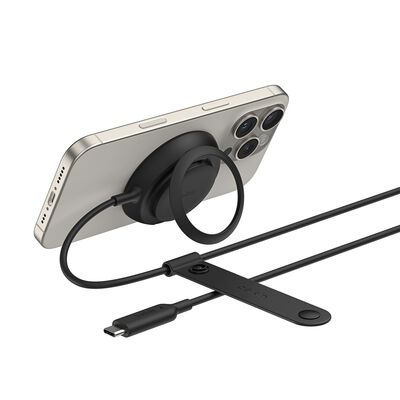
Qi2 25W · Magnetic
Magnetic Charger with Qi2 25W
The fastest flat pad. Up to 25W on iPhone 16 and later with Qi2 magnetic alignment.
Shop now ›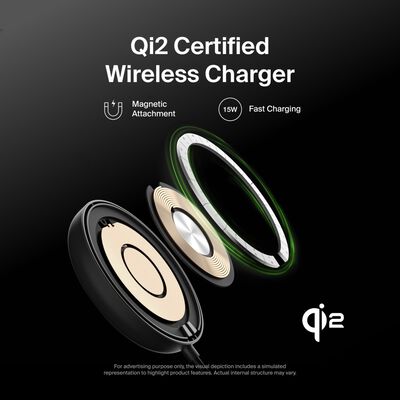
Qi2 15W · Magnetic
Magnetic Wireless Charging Pad with Qi2 15W
Qi2 magnetic snap-on alignment at 15W for iPhone 12 and later and Qi2 Android phones.
Shop now ›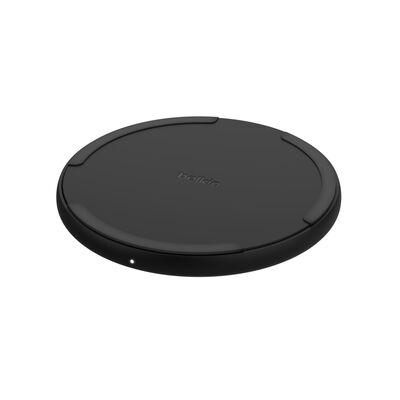
Qi 15W · No magnets
Wireless Charging Pad 15W
Universal Qi pad with no magnets. Works with any Qi phone, including Galaxy and Pixel.
Shop now ›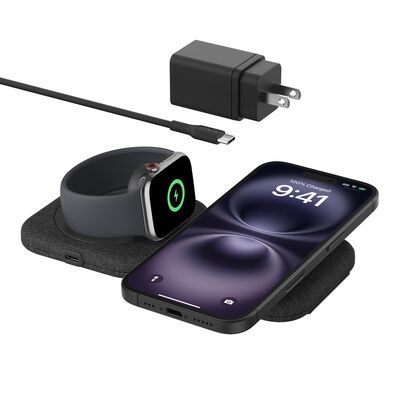
Qi2 15W · Travel
2-in-1 Magnetic Charging Travel Pad with Qi2 15W
Folds flat for travel. Charges your phone plus an Apple Watch or earbuds from one pad.
Shop now ›For the fastest wireless charging on iPhone 16 and later, choose the Qi2 25W pad.
Wireless Charging Pads FAQ
Wireless charger pads use a technology called inductive charging to transfer energy wirelessly from the charger to the device being charged. This works through two coils, one in the charger and one in the device, that create an electromagnetic field. Most wireless chargers use Qi, MagSafe, Qi2, or the newer Qi2 25W standard. Compatibility, charging speeds and other features vary based on the wireless charging technology.
Most modern smartphones support wireless charging on a flat pad. The current lineup:
- Apple iPhone: every iPhone since iPhone 8 (2017), including iPhone Air, iPhone 17, 17 Pro, and 17 Pro Max. iPhone 12+ adds MagSafe magnetic alignment. iPhone 16 and later support Qi2 25W on a compatible pad.
- Samsung Galaxy: every S series flagship since the S6 (S6 through S26 and their Plus / Ultra variants), every Note since Note 5, and the Z Fold / Z Flip foldables. S25 and S26 series support native Qi2.
- Google Pixel: Pixel 3 through Pixel 10 series. Pixel 10 series has built-in Qi2 magnets; Pixel 10 Pro XL reaches 25W on a Qi2 25W charger.
- Other Android: Qi-compatible Androids charge on standard Qi pads at up to 5-7.5W. OnePlus 13 and HMD Skyline support Qi2 at 15W.
Phones without wireless charging (typically lower-cost models) won't work with any wireless pad. Use a USB-C cable instead. For more, see our Qi2 compatible devices guide.
Wireless charging pads are safe for phones due to their use of inductive charging technology, built-in safety features (such as overheating and foreign object detection), overcharging prevention, and compliance with safety certifications like Qi certification. These features collectively ensure that wireless charging pads provide a reliable and safe way to charge devices, making them a convenient option for users.
For more information on safety, check out Is Wireless Charging Safe?
To use a wireless charger pad, first plug it into a power source and place your compatible device on the pad, making sure it's centered and aligned with any guidelines provided. Wait for the charging process to start, which may be indicated by a light or other indicator. It's important to note that not all devices are compatible with all wireless chargers, so check your device's specifications to ensure compatibility with the charger and the charging standard.
Yes, wireless charging pads are worth it for their convenience and ease of use. They eliminate the need for cables, reduce wear on charging ports, and work with a variety of devices. Belkin’s wireless charging pads offer fast, reliable charging, and are designed with safety features to protect your devices.
Pad speed depends on three things: the pad's wireless standard, the phone's wireless standard, and whether magnetic alignment is in play.
- Standard Qi pads: 5-7.5W on most phones (no magnetic snap)
- 15W Qi pads: 15W on Samsung Galaxy and Pixel; 7.5W on iPhone (no magnet)
- MagSafe pads: 15W on iPhone 12+ (magnetic alignment)
- Qi2 pads: 15W on iPhone 12+, Galaxy S25 / S26, Pixel 10 (magnetic alignment)
- Qi2 25W pads: 25W on iPhone 16 and later (excluding Air), S26 Ultra, Pixel 10 Pro XL; 20W on iPhone Air and S26+; 15W on other Qi2 phones
Magnetic alignment is what unlocks the higher speeds. Without magnets, even a 25W pad falls back to 7.5W on iPhone or 5-15W on Android. For the full speed-by-standard breakdown, see our 25W wireless charging guide.
No. The form factor (pad vs stand) doesn't change charging speed; the wireless standard does. A flat MagSafe pad and a MagSafe stand both charge iPhone 12+ at 15W. A Qi2 25W pad and a Qi2 25W stand both reach 25W on supported phones. The standard sets the speed, not the shape. Choose pad vs stand based on use: pads sit flat on a nightstand or desk; stands hold the phone upright so you can read notifications or use FaceTime while charging.
Yes. Modern iPhones (iPhone 8 and later) and recent Android phones manage charging automatically and stop drawing power once the battery is full, so your phone won't overcharge on the pad. Many also offer optimized or adaptive charging, which holds the charge overnight and tops up to 100% just before you wake, helping long-term battery health. For the most comfortable overnight setup, pick a pad that keeps heat in check: Belkin's Qi2 25W pads include ChillBoost™ Cooling, passive cooling technology that reduces heat†† and protects battery during charging.
†† Charging technology designed for enhanced heat dissipation. Actual temperatures will vary based on device, usage and environment.
In most situations, yes. Standard wireless charging works through plastic, silicone, leather, and most non-metal cases up to about 3mm thick. Metal cases, magnetic wallet attachments behind the phone, or thick rugged cases can block charging entirely.
For magnetic charging specifically (MagSafe / Qi2), the case needs to be MagSafe-compatible or Qi2-ready, with magnets embedded in the back. Without magnets, the pad still charges but at slower Qi speed (5-7.5W on iPhone) and without the snap-on alignment.
For more on magnetic alignment and Qi2-ready cases, see our Qi2 guide.