Premium accessories for iPhone 18. Shop now

https://www.belkin.com/p/thunderbolt-5-dock/INC031ttSGY.html
Connect
New
Thunderbolt 5 Dock
SKU: INC031ttSGY
$349.99




Fast and free shipping

30-Day money back guarantee

24/7 Customer support
Connect
New
Thunderbolt 5 Dock
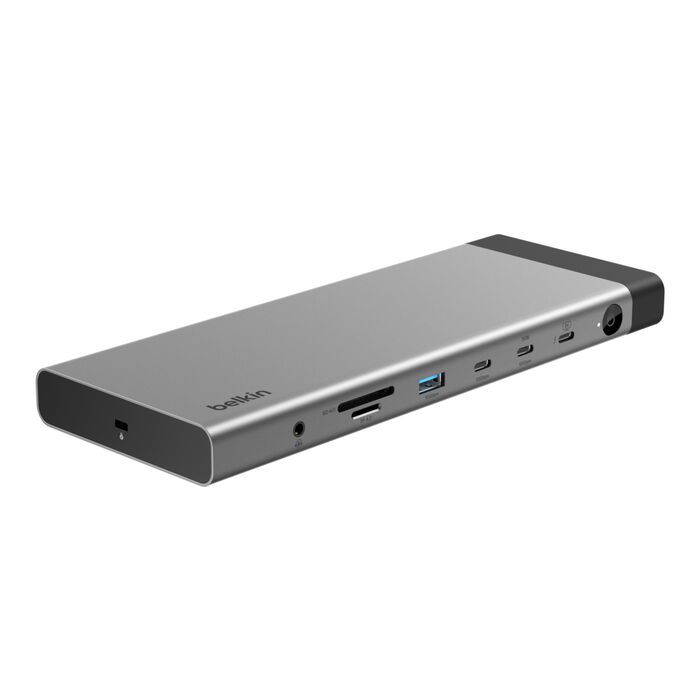
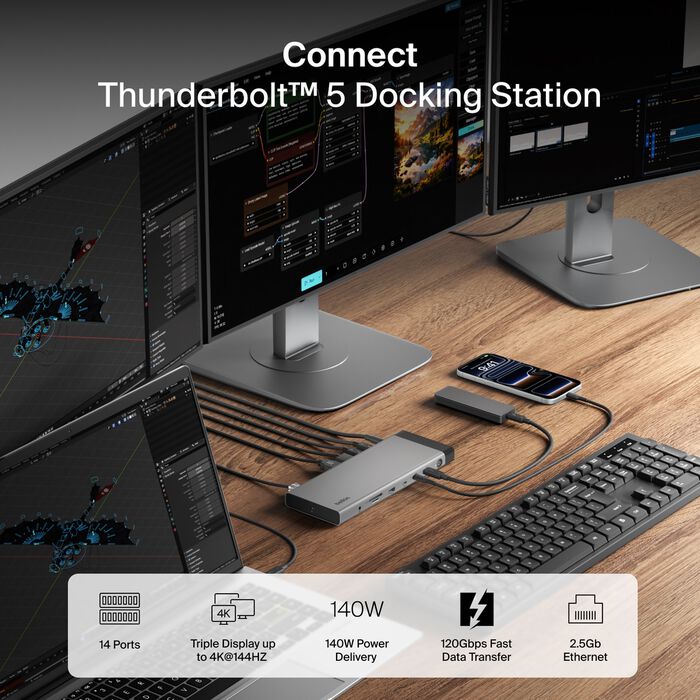
Expand your laptop into a fully functional workstation with the Thunderbolt™* 5 dock that supports the fastest bandwidth speeds of up to 80Gbps with 120Gbps† Bandwidth Boost, triple displays up to 4K@144Hz**, and up to 140W Power Delivery to your host device. Designed for your most demanding creative or productivity needs, it provides 14 ports to expand your laptop's capabilities for video, data, charging and Ethernet.
$349.99
- Out of Stock Coming Soon by Wed Nov 04 2026
- Experience Thunderbolt 5 certified ultra-fast bandwidth speeds up to 80Gbps with 120Gbps Bandwidth Boost† for your data transfer and video needs
- Expand your laptop's capabilities up to 14 ports for video, data, charge and Ethernet
- Work in crystal clear definition with triple extended displays** up to 4K@144Hz and 8K@60Hz
- Deliver up to 140W Power Delivery to your host device and other devices simultaneously
- Rely on 2.5Gb Ethernet port for hardwired network connection
- Daisy-chain up to six Thunderbolt devices with tidier setup
- Thunderbolt™ 5 Dock
- 180W PSU
- 3.3 ft./1m Thunderbolt™ 5 Cable
Compatible with USB-C enabled devices such as laptops, tablets, smartphones and Thunderbolt™5, and Thunderbolt™4 ports Supports Windows, Mac and Chrome OS. Scan for product details.
Integrated/Included Cable Length
- Thunderbolt 5 Cable: 3.3 ft./1m
- PSU Cable: 3.3 ft./1m
Dimensions (LxWxH)
- 8.74 in./222mm (L) x 3.35 in./85.09mm (W) x 0.79 in./20.06mm (H)
Ports
- Thunderbolt™ 5 140W PD (to host)
- 2x Thunderbolt 5 (15W)
- USB-A 3.2 (4.5W, 10Gbps)
- 2x USB-A 3.0 (4.5W, 5Gbps)
- USB-C 3.2 (10Gbps)
- USB-C 3.2 (30W, 10Gbps)
- DisplayPort 2.1 (4K@60Hz)
- HDMI†† 2.1 (4K@60Hz)
- 2.5Gb Ethernet
- 3.5mm audio combo port
- microSD 4.0
- SD 4.0
Documents
 Enhance your network security with our free dock utility software. Learn more
14 Ports
Thunderbolt™ 5 Certified
Triple 4K@144Hz Displays**
Bandwidth Boost Speeds up to 120Gbps
140W Max Power Delivery
2.5Gb Ethernet


| OS | Windows | |||
|---|---|---|---|---|
| Video Port | Thunderbolt 5 #1 | Thunderbolt 5 #2 | DisplayPort | HDMI |
| Single | 8K@60Hz/ |
8K@60Hz/ |
8K@60Hz/ |
8K@60Hz/ |
| Dual | 8K@60Hz | 4K@60Hz | ||
| 8K@60Hz | 4K@60Hz | |||
| 4K@60Hz | 8K@60Hz | |||
| Triple | 4K@144Hz | 4K@144Hz | 4K@144Hz | |
| 4K@144Hz | 4K@144Hz | 4K@144Hz | ||
Windows:
1) Thunderbolt 5 Laptops can achieve the maximum resolution.
2) Thunderbolt 4/USB4 Laptops: only 2 video streams max. First plug in, first served.
| OS | Mac | |||
|---|---|---|---|---|
| Video Port | Thunderbolt 5 #1 | Thunderbolt 5 #2 | DisplayPort | HDMI |
| Single | 6K@60Hz/ |
6K@60Hz/ |
6K@60Hz/ |
4K@60Hz |
| Dual | 4K@240Hz | 4K@144Hz | ||
| 4K@240Hz | 4K@144Hz | |||
| 4K@240Hz | 4K@60Hz | |||
| Triple | 4K@144Hz | 4K@144Hz | 4K@144Hz | |
| 4K@144Hz | 4K@144Hz | 4K@60Hz | ||
macOS:
1) M1/M2/M3 supports one external display.
2) M1 Pro/Max, M2 Pro/Max, M3 Pro/Max, M4 Pro/Max, M4, and M5 support up to dual extended displays.
3) Only 2 video streams max, first plug in first served.
4) M5 Pro/Max can support triple extended displays.


|
image
|

|
|

|
|---|---|---|---|
|
name
|
|||
|
cta
|
|
|
|
|
Reviews
|

|
|

|
|
Price
|
$299.99
|
$149.99
|
$259.99
|
|
Power Delivery
|
96 Watts
No
|
96 Watts
No
|
100 Watts
No
|
|
PSU
|
Included
No
|
Included
No
|
Included
No
|
|
External Displays
|
1 2 3+
No
|
2
No
|
1 2 3+
No
|
|
Resolution
|
4K 8K
No
|
1080p 4K 8K
No
|
4K
No
|
|
Technology
|
Thunderbolt
No
|
Thunderbolt
No
|
DisplayLink
No
|
|
Data Transfer Speed
|
40 Gbps
No
|
5 Gbps 10 Gbps 20 Gbps 40 Gbps
No
|
10 Gbps
No
|
|
Inputs
|
No
|
USB-A USB-C Thunderbolt
No
|
Audio In/Out DisplayPort Ethernet HDMI SD USB-A USB-C
No
|
|
Inputs
|
Thunderbolt™ USB-C USB-A HDMI DisplayPort Ethernet Audio In/Out SD MicroSD
No
|
No
|
No
|
|
Ports
|
Thunderbolt™ 4 40Gbps, 15W Thunderbolt™ 4 96W PD (to host) USB-C 10Gbps (support BC1.2), 30W 2x USB-A 10Gbps (support BC1.2) 2x USB-A 5Gbps 2x DP1.4 supports up to 8K30Hz HDMI 2.0 Supports up to 4K@60Hz 2.5GbE microSD 4.0 SD 4.0 Audio In/Out PSU 150W
No
|
4x USB-C Thunderbolt 4 port 1x USB-A port
No
|
Front: 2x USB-A 3.0 1x USB-A 3.0 1x USB-C 3.2 3.5mm stereo headphone jack 3.5mm microphone jack Back: 2x DisplayPort (4K@60Hz) 3x HDMI 2.0 (4K@60Hz) 2.5Gb Ethernet USB-C 3.2 140W PD PSU 180W
No
|
|
Dimensions (LxWxH)
|
8.85 in. L x 3.39 in. W x 1.06 in. H
No
|
5.3in/135mm x 2.9in/74mm x 0.7in/18mm
No
|
5.51 in./140mm x 4.13 in./105mm x 1.58 in./40.1mm Weight: 1.14 lbs./517g Included USB-C Cable length: 3.3 ft./1m PSU Cable length: 3.3 ft./1m
No
|
|
Warranty and Support
|
No
|
2-Year Warranty
No
|
3-year warranty
No
|
|
Integrated/Included Cable Length
|
3.3 ft./1m
No
|
6ft/0.8m Thunderbolt 4 cable
No
|
3.3 ft./1m
No
|
*Thunderbolt and the Thunderbolt logo are trademarks of Intel Corporation in the U.S. and/or other countries.
†Thunderbolt™ 5 delivers 80 gigabits per second (Gbps) of bi-directional bandwidth, and with Bandwidth Boost mode, up to 120Gbps in one direction and 40Gbps in the other. These speeds are possible to achieve because it includes four lanes for data transfer (two for each direction at 40Gbps, adding up to 80Gbps)
**Triple displays require a compatible Windows PC. macOS supports up to two extended displays. See display chart for more details.
††The terms HDMI, HDMI High-Definition Multimedia Interface, HDMI trade dress and the HDMI Logos are trademarks or registered trademarks of HDMI Licensing Administrator, Inc.
Thunderbolt 5 Dock FAQ
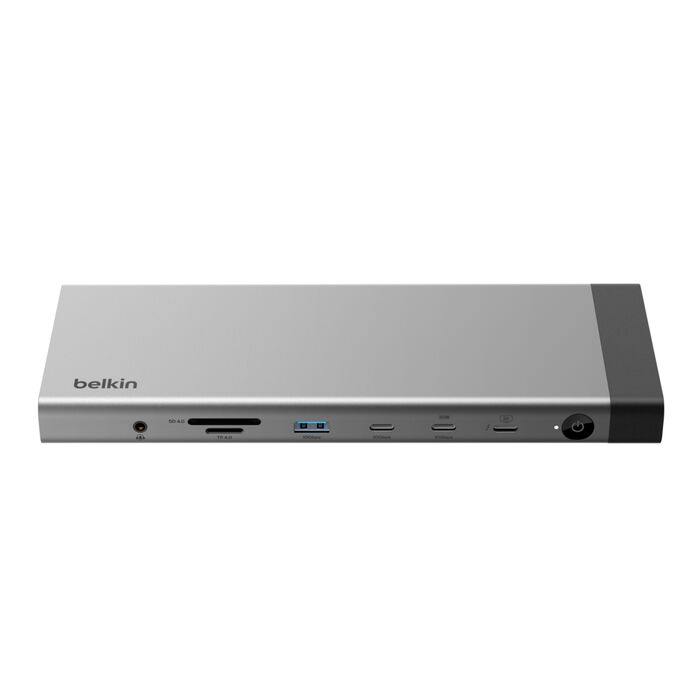
The dock has 14 ports: three Thunderbolt 5 ports (one upstream port that delivers 140W to your laptop, plus two 15W downstream ports), two USB-C 3.2 10Gbps ports (one with 30W charging), one USB-A 3.2 10Gbps port (4.5W), two USB-A 3.0 5Gbps ports (4.5W each), one DisplayPort 2.1, one HDMI 2.1, a 2.5Gb Ethernet port, SD 4.0 and microSD 4.0 card slots, and a 3.5mm audio combo jack. It also has a power button, a DC power input, and a Kensington lock slot.
Up to three. With a Thunderbolt 5 Windows laptop, the dock supports triple extended displays at up to 4K@144Hz. On Mac, the number of displays depends on the M-series chip in your MacBook. Actual performance may vary depending on the host device's specifications and settings.
With a Thunderbolt 5 Windows laptop, a single display runs at up to 8K@60Hz or 4K@240Hz from either Thunderbolt 5 port, the DisplayPort, or the HDMI port. Dual-display combinations support up to 8K@60Hz on one monitor and 4K@60Hz on the second. Triple displays run at up to 4K@144Hz each. Thunderbolt 5 laptops can achieve the maximum resolutions; Thunderbolt 4 and USB4 laptops support a maximum of two video streams, allocated on a first-plugged, first-served basis.
Mac display support varies by chip. M1, M2, and M3 MacBooks support one external display at up to 4K@60Hz. M1 Pro/Max, M2 Pro/Max, M3 Pro/Max, M4, M4 Pro/Max, and M5 MacBooks support up to two external displays at up to 6K@60Hz. M5 Pro/Max MacBooks support up to three external displays at up to 4K@144Hz. macOS allows a maximum of two video streams on dual-display chips, allocated on a first-plugged, first-served basis.
Thunderbolt 5 delivers data transfer speeds of up to 80Gbps, with Bandwidth Boost reaching up to 120Gbps. That is up to three times the 40Gbps bandwidth of Thunderbolt 4.
Yes. The upstream Thunderbolt 5 port delivers up to 140W of Power Delivery to your laptop while it is connected to your displays and peripherals. It can charge a 16-inch MacBook Pro with M4 Max to 50% in 26 minutes. The dock also provides 30W USB-C charging for a phone or tablet, 15W on each downstream Thunderbolt 5 port, and 4.5W on the USB-A ports.
The dock works with Thunderbolt 5, Thunderbolt 4, USB4, and USB-C enabled Windows and Mac laptops, as well as USB-C tablets and smartphones. It is not compatible with Thunderbolt 3 laptops or monitors, including Intel-based MacBooks, and it does not support ChromeOS or Linux systems. If you have an older laptop, you can compare alternatives across Belkin's full range of laptop docking stations.
The box includes the Thunderbolt 5 docking station, a power supply unit with US power cords, and a Thunderbolt 5 cable.
The Belkin 6-Point Safety System is a set of six built-in hardware protections, validated through rigorous testing: overload protection, over-current protection, temperature regulation, short circuit protection, fire resistance, and over-voltage protection. Together they protect both the dock and every connected device.
Yes. The dock is Thunderbolt 5 certified. Certification ensures top performance, universal compatibility across Thunderbolt 5 and Thunderbolt 4 hosts, and robust security.
Yes. The dock includes a 2.5Gb Ethernet port for a fast, reliable hardwired network connection when Wi-Fi is not enough.
Yes. The dock has both a full-size SD 4.0 slot and a microSD 4.0 slot on the front, alongside the 3.5mm audio combo jack.