Premium accessories for iPhone 18. Shop now

Power & Charging
How to Fix Slow Phone Charging: 7 Causes and What to Do
Why is my phone charging so slowly? It is almost always the charger, the cable, heat, or a battery setting doing its job. Here is how to fix each one, starting with the fix that works most often.
Updated for 2026 phones: what iPhone 17, Galaxy S26 and Pixel 11 actually need to hit their advertised speeds, why a 65W charger can still crawl on a Galaxy, what the "Slow Charger" and "Slow charging" messages mean, and why stopping at 80% is usually a feature, not a fault.

About the brand

Belkin has made phone and laptop accessories since 1983: chargers, power banks, docks and screen protection. Every product is tested in our own labs and backed by a warranty and real support.
Shop BelkinGet 15% off
Subscribe for blog alerts, product announcements and exclusive deals, by email and text.
Sign upEmails and texts. Unsubscribe anytime.
Fix It in This Order
Do these in order and stop when the speed jumps. Each step addresses the most likely remaining cause, and most take less than a minute.
- Swap the cable. Try a different USB-C to USB-C cable, rated 60W or higher (100W for a Galaxy at 45W or above). This is the most common fix. See why the cable matters.
- Plug into a wall charger rated 30W or more. That means 40W for an iPhone 17 and 60W for a Galaxy S26 Ultra. Look for USB-C Power Delivery, plus PPS if you have a Galaxy or a Pixel. Skip laptop ports, car sockets and the USB ports built into power strips. See which charger to use.
- Take the case off and let the phone cool. Lock the screen for ten minutes; a warm phone slows its own charging on purpose. See why heat matters.
- Clean the port. Lint packed at the bottom stops the plug from going all the way in. Check it with a flashlight and clear it the safe way. See how to clear the port.
- Check the 80% setting. If charging stops or slows at 80%, a battery feature is doing its job; switch it off for the day if you need a full charge. See which setting it is.
If none of that helped and the phone is more than two years old, the battery itself is probably wearing out: see cause 7. Your phone's own warning message also points to the cause. iPhone shows Slow Charger or Charging On Hold, Galaxy shows Slow charging, Pixel shows Charging slowly; what each one means is explained below.
Key takeaways
- Most slow charging comes down to four things: a charger that cannot supply enough power, a cable that cannot carry it, a phone that is too hot, or a battery setting that is holding charge at 80% on purpose.
- A 2026 phone needs more than the old 5W or 20W cube. iPhone 17 models reach 50% in 20 minutes only with a 40W or higher USB-C charger. Galaxy S26 Ultra takes up to 60W. Pixel 11 Pro XL takes up to 45W. Any USB-A charger caps iPhone 15 and later at 7.5W.
- Galaxy phones need a charger with PPS, not just USB-C Power Delivery, to show Super Fast Charging. Without PPS, even a high-wattage charger can still be slow.
- Wireless charging is slower by design, but not as slow as it used to be. Qi2 25W pads charge iPhone 16, iPhone 17 and Pixel 11 at up to 25W when they are powered by a 30W or higher adapter.
- Charging that races to 80% and then slows or stops is normal. Optimized Battery Charging, Charge Limit, Battery protection and Charge to 80% all do it deliberately to protect the battery.
Few things are more quietly stressful than watching the battery sit at 9% while the phone is plugged in and you are already late. The good news is that a slow-charging phone is rarely a broken phone. Usually it is the charging setup: the charger on the wall, the cable running to your phone, the heat the phone is sitting in, or a battery feature that is slowing things down on purpose.
This guide covers iPhone, Samsung Galaxy and Google Pixel. The five fixes above solve most cases. The rest of the guide shows what "normal" looks like on a 2026 phone so you know whether yours is actually slow, then walks through the seven causes in the order they are most likely, each with its fix.
Is It Actually Slow? What's Normal in 2026
"Slow" only means something compared with a benchmark, and that benchmark moved this year. A 2026 flagship fills from empty to 50% in 20 to 30 minutes on the right charger, then slows down on purpose as it passes about 80%. If your phone takes an hour to reach half, it is missing one of the requirements in the table below.
Swipe the table sideways to see every column.
| Phone | Wired, what the maker states | Wall charger you need | Wireless, maximum |
|---|---|---|---|
| iPhone 17, 17 Pro, 17 Pro Max | 50% in 20 min | 40W or higher USB-C PD | 25W MagSafe or Qi2, with a 30W+ adapter |
| iPhone Air | 50% in 30 min | 20W or higher USB-C PD | 20W MagSafe or Qi2, with a 30W+ adapter |
| iPhone 16, 16 Plus, 16 Pro | 50% in about 30 min | 20W or higher USB-C PD | 25W MagSafe or Qi2, with a 30W+ adapter |
| Galaxy S26 Ultra | Up to 60W | 60W USB-C PD with PPS | 25W Qi2, with a magnetic case |
| Galaxy S26+ | Up to 45W | 45W USB-C PD with PPS | 20W, with a magnetic case |
| Galaxy S26, S25 | Up to 25W | 25W or higher USB-C PD with PPS | 15W |
| Galaxy S25 Ultra, S25+ | Up to 45W | 45W USB-C PD with PPS | 15W |
| Pixel 11 Pro XL | Up to 45W | 45W or higher USB-C PD with PPS | 25W Qi2 |
| Pixel 11, 11 Pro | Up to 30W | 30W or higher USB-C PD with PPS | 25W Qi2 |
| Pixel 10 Pro XL | Up to 45W | 45W or higher USB-C PD with PPS | 25W Qi2 |
| Pixel 10, 10 Pro | Up to 30W | 30W or higher USB-C PD with PPS | 15W Qi2 |
Last verified September 8, 2026. Figures are the makers' stated maximums and fast-charge claims as of September 2026. Peak wattage lasts minutes, not the whole charge, and every phone slows as it fills and as it warms. Apple's figures are from its iPhone tech specs; Samsung and Google figures are from the phones' launch specifications. Older phones have lower maximums: iPhone 15 and earlier take up to 20W wired and 15W MagSafe, and any iPhone 15 or later on a USB-A charger is limited to 7.5W.
1. Your Charger Is Too Weak, or the Wrong Kind
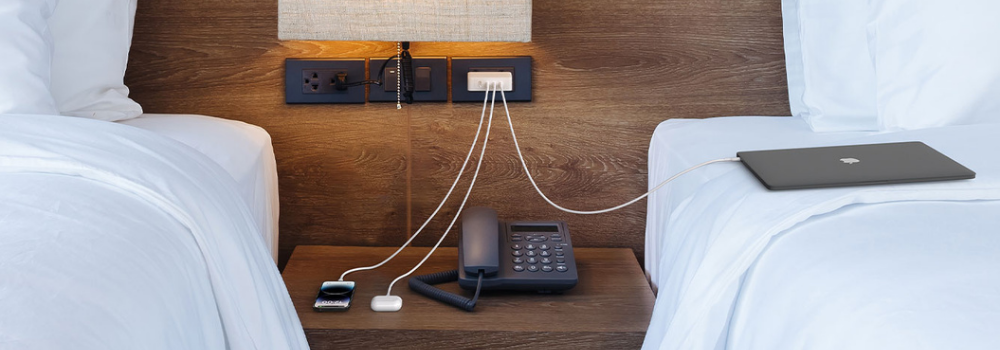
The charger on the wall sets the upper limit for everything else, and the weak sources are still everywhere: the 5W cube that shipped with a phone years ago, the USB-A port on a laptop, the socket in a car's dashboard, the USB port in a hotel nightstand. They all charge a phone, but they all feed a modern one a fraction of what it can take.
- Old 5W and 12W cubes charge a 2026 phone at roughly a quarter of its rated speed.
- Any USB-A charger holds iPhone 15 and later to a maximum of 7.5W, by Apple's own spec, no matter what its label claims.
- Laptop and hub ports usually deliver 2.5W to 4.5W unless the port is a USB-C Power Delivery port. Tablets are worse off: they need 20W or more and get little more than a trickle from a laptop port.
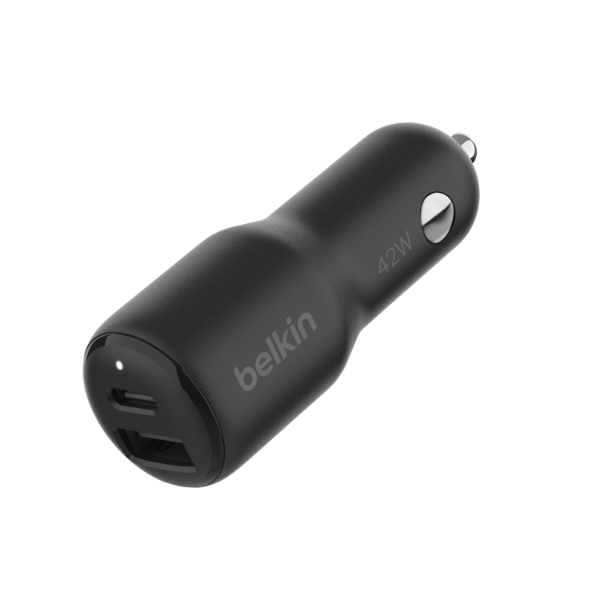
- Built-in car USB ports are often 5W or less and shared with the car's screen and stereo, so CarPlay or Android Auto can use most of it. A dedicated car charger fixes this.
- Multi-port chargers split their power. A "65W" charger with two devices attached may give your phone 20W or less. Apple notes that hubs and car chargers divide their power the same way.
There is a second, less obvious version of this problem, and it explains most "my 65W charger is slow on my Galaxy" complaints. Wattage is not the whole story; the charging protocol matters just as much. Every modern phone negotiates with the charger over USB-C Power Delivery. Samsung's Super Fast Charging, and the top speeds on Pixel, also need PPS (Programmable Power Supply), an extension of Power Delivery that lets the phone fine-tune the voltage while it charges. A charger without PPS can be huge and still leave a Galaxy at about 15W, with no "Super fast charging" label on the lock screen. The details are in our guide to PPS versus PD fast charging.
The fix: use a wall charger labeled USB-C PD, plus PPS for Galaxy and Pixel, rated at or above your phone's figure in the table above. For iPhone 17 that means 40W or more, which is a step up from the 20W cubes most people own; our iPhone 17 fast-charging guide explains why. A single-port 45W charger is the cheapest way to cover every 2026 phone except the Galaxy S26 Ultra at its full 60W.
2. The Cable Is the Bottleneck
A cable looks like a plain piece of wire, but every USB-C cable has a power rating, and sometimes a chip, that determines how much power it will carry. Pair a 45W charger with the wrong cable and the phone charges as if the charger were half as powerful.
- Plain USB-C to USB-C cables are limited to 3 amps, about 60W. That covers every phone up to 30W and the iPhone 17 at 40W. Samsung's guidance for its 45W and 60W phones (Galaxy S26 Ultra, S26+, S25 Ultra, S25+) is a 5-amp cable with an e-marker chip, which is what a cable sold as 100W or 240W has inside.
- USB-A to USB-C cables top out around 15W and, on iPhone 15 and later, 7.5W. If one end of your cable is the old flat rectangle, that is your limit.
- Damaged cables often charge slowly before they fail outright. A kinked or frayed cable, or one with a loose plug that only works at an angle, raises resistance and turns power into heat.
- With an uncertified cable, the phone and charger can settle on the wrong speed. Look for a USB-IF Certified mark on USB-C cables, and Made for iPhone (MFi) on the Lightning cables that iPhone 14 and earlier still use.
The fix: use a USB-C to USB-C cable rated at least 60W for any phone, and a 100W or 240W e-marked cable for any Galaxy at 45W or above. Replace any cable that is kinked or frayed, or whose plug has gone loose. If you are not sure what a cable can carry, our USB-C cable guide explains the labels.
3. Heat, or Using the Phone While It Charges
Lithium-ion batteries take charge fastest when they are cool. Every phone watches its own temperature and cuts the charging current as it warms, and few of them tell you clearly when it happens. Apple recommends charging between 32° and 95°F (0° to 35°C); above that, iOS 16 and later shows "Charging On Hold" and waits. Samsung says the same thing in different words: if the device gets too hot, charging may stop temporarily or the speed may drop.
The heat usually comes from one of three places:
- Where the phone is. A sunny dashboard, a windowsill, under a pillow, or in a pocket against your body while it charges from a power bank.
- What the phone is doing. Gaming, video calls, navigation, hotspot and 4K recording all pull power and make heat at the same time. The phone can drain faster than it fills.
- What is wrapped around it. A thick or rugged case traps heat, and it is the first thing to remove when wireless charging feels slow.
The fix: charge somewhere cool, lock the screen, and take the case off for the fast part of the charge. Airplane Mode, plus Low Power Mode on iPhone or Power saving on Galaxy and Pixel, all cut the drain. If your phone is warm to the touch every time it charges, look at the cable next: a poor cable wastes energy as heat at the plug.
4. Wireless Charging Is Slower by Design, or Misaligned
Wireless charging loses energy as heat while it crosses the gap between the two charging coils, so it will never match a cable. But the old advice that wireless is "only for casual top-ups" is out of date. There are now three tiers, and which one you own decides whether slow is normal.
- Older Qi pads, 5W to 10W. Apple's support pages classify any wireless pad under 10W, such as a Qi1-certified charger, as a slow charger. If your pad has no magnets, this is almost certainly what you have.
- Qi2, 15W. The magnetic standard from 2023. Magnets snap the coils into alignment, which is why Qi2 pads run cooler and more consistently than a loose pad.
- Qi2 25W and MagSafe 25W. The 2025 update. iPhone 16 and iPhone 17 models take up to 25W on Qi2 or MagSafe, and every Pixel 11 does the same on Qi2, but only when the pad is fed by a 30W or higher adapter. Plug a 25W pad into an old 20W cube and it quietly falls back to a lower speed.
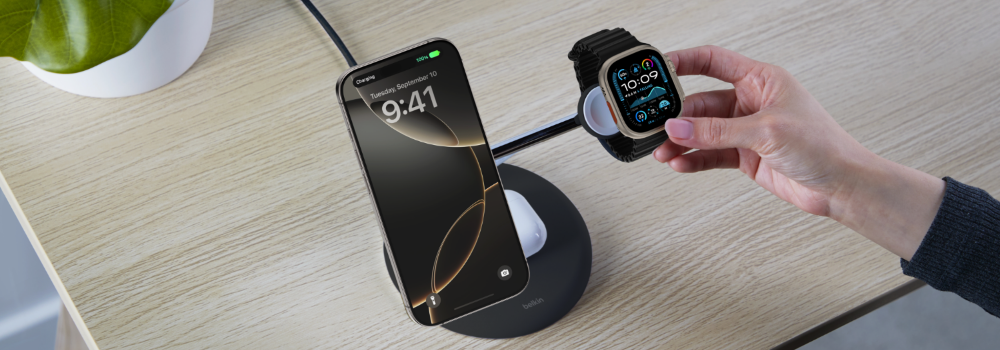
Samsung is the odd one out. The Galaxy S26 Ultra supports 25W Qi2 and the S26+ 20W, but Samsung shipped them without built-in magnets, a state the industry calls "Qi2 Ready." You get the full speed only with a magnetic case that gives the pad something to lock onto. A bare Galaxy has nothing for the magnets to grip, so it charges at the slower speed any loosely placed phone gets. That is the usual answer to "why is my Galaxy wireless charging so slow."
Two more things throttle wireless charging. The first is a case thicker than about 3 mm, or one with a metal plate or ring inside. The second is heat, which wireless charging produces more of than a cable does. On iPhone there is also a rule most people never hear about: plug a wired accessory such as headphones into the phone while it charges wirelessly and iOS limits charging to 7.5W for regulatory reasons.
The fix: match all three parts. A Qi2 25W charger, a 30W or higher USB-C PD adapter behind it, and either a phone with magnets or a magnetic case on a Galaxy. Take off thick cases and keep the pad out of the sun. If you want the full list of what charges at 25W today, see our Qi2 25W wireless charging guide.
5. A Dirty, Wet or Damaged Port
Pocket lint packs into the bottom of a charging port a little at a time, until the plug no longer pushes all the way in. The symptoms are distinctive: the cable only charges at an angle, the connection drops when the phone moves, or charging is slow even with a cable that works fine on another phone.
- Moisture. Both iPhone and Galaxy refuse or slow charging when they detect liquid in the port, and lint that conducts electricity can trigger the same warning. Wait for the port to dry completely before charging, even on a water-resistant phone.
- Corrosion or bent pins. A port that has been wet more than once, or that has had a cable yanked out sideways, can have damage you cannot clean out.
The fix: power off, shine a light into the port, and lift the lint out with a wooden or plastic toothpick, working from the edges. Two or three short bursts of compressed air help. Never use metal, which can short the contacts or bend a pin. If cleaning does not restore a firm fit, or the port has ever gotten hot, have it checked by a technician rather than forcing the plug.
6. A Battery Feature Is Doing Its Job (Why It Stops at 80%)
If your phone charges quickly to about 80% and then slows to a crawl or stops, nothing is wrong. Two things are happening. The first is physics: a lithium-ion battery accepts current fast while it is empty and has to slow down as it fills, so the last 20% always takes longer than the first 50%. The second is software that your phone maker added on purpose, because a battery that sits at 100% while warm is what ages it fastest.
- iPhone: Optimized Battery Charging learns your routine over about two weeks and then holds the charge at 80% overnight, finishing just before you usually unplug. On iPhone 15 and later you can also set a Charge Limit anywhere from 80% to 100% in 5% steps; the phone will occasionally run to 100% anyway to recalibrate. iOS 26 adds two things: a lock-screen estimate of how long until the phone is full, or until it reaches your limit, and an Adaptive Power mode that lets some activities run slower to save battery.
- Galaxy: Battery protection. Settings > Battery > Battery protection offers a hard 80% cap, an adaptive mode and a maximum mode. Samsung's support page lists it as a cause of "charging slowly" for exactly this reason.
- Pixel: Charge to 80% and Adaptive Charging, under Settings > Battery > Charging optimization. Google has confirmed that a Pixel with Charge to 80% enabled slows sharply from about 77% and can take half an hour to cover the last three percentage points. That is by design.
The fix: there is nothing to fix. If you need a full charge before a long day, turn the limit off for that day, or, on iPhone, press and hold the charging notification and choose Charge Now. For most days, 80% is the setting that keeps the battery healthy longer, and a phone that reaches 80% quickly is charging exactly as fast as it should.
7. The Battery Is Wearing Out
A phone that charges slowly and drains fast is showing the classic signs of an aging battery. As a lithium-ion cell wears, its internal resistance rises, so it both takes in charge more slowly and loses it faster, and it runs warmer doing both, which brings the heat problem in cause 3 along with it. Most batteries reach this point somewhere between 500 and 1,000 full charge cycles, roughly two to three years of daily use.
All three phone makers give you a way to check. On iPhone, Settings > Battery > Battery Health shows Maximum Capacity; Apple treats 80% as the point where a battery is due for replacement. On Galaxy, Settings > Battery > Battery information shows a battery status of Normal, Weak or Bad, and the Samsung Members app runs the same diagnostic. On Pixel, Settings > Battery > Battery health shows the same kind of capacity estimate on Pixel 8a and later.
The fix: a battery replacement, which on most phones costs far less than a new device and restores the original charging speed. Until then, the habits that slow the wear are the same ones that help charging: keep the phone cool, use a charge limit, and avoid running it to zero. Our guide to iPhone battery life covers those settings in detail.
What "Slow Charging" on Your Phone Actually Means
Phones have started telling you directly. The wording differs by maker, but each message points to one of the causes above.
iPhone
- "Slow Charger" (iOS 18 and later) means a wired charger or cable is delivering 7.5W or less, or a wireless pad is under 10W: a USB-A charger, a laptop port, a low-power hub, or an older wireless pad. Causes 1, 2 and 4.
- "Incompatible Charger" (iOS 26 and later) means the iPhone and the charger cannot agree on a charging mode at all. That usually points to an uncertified or counterfeit charger. Cause 1, plus the safety section below.
- "Charging On Hold" (iOS 16 and later) means the phone is too hot or too cold and will resume on its own. Cause 3.
- Stops at 80%, with a notice about Optimized Battery Charging or your Charge Limit, means the feature is working as designed. Cause 6.
Samsung Galaxy
- "Slow charging" or "Check charger" on the lock screen means the phone is getting standard USB power. The charger or cable does not support Fast or Super Fast Charging, the fast-charging setting is off, or the connection is poor. Causes 1, 2 and 5.
- No "Super fast charging" label even on a big charger means the charger lacks PPS or the cable is not rated for it. Causes 1 and 2.
- A moisture notification means the port is wet, or has lint in it that conducts electricity. Cause 5.
- Holds at 80% means Battery protection is on. Cause 6.
- Fast charging switched off shows as plain "Slow charging" too. The switches are under Settings > Battery > Charging settings; from the Galaxy S23 on, Fast and Super fast charging share one switch there. Cause 1.
Google Pixel
- "Charging slowly" on the lock screen means the source is under about 10W. Causes 1 and 2.
- "Charging rapidly" is the message you want to see. If you never see it, check the adapter's fine print for both PD and PPS.
- Slows near 77% to 80% means Charge to 80% is on. Cause 6.
Why trust Belkin
Belkin has made charging accessories since 1983 and tests every charger and cable in its own labs. Our chargers carry USB-IF and safety certifications, our Qi2 chargers are certified by the Wireless Power Consortium, and every product ships with a warranty and real support behind it.
Cheap Chargers Are Slow at Best
A no-name charger that charges slowly is the good outcome. When Electrical Safety First and Apple tested 116 lookalike 20W USB-C adapters bought in the UK and EU in 2024, every one of them failed safety testing, and 92% failed the electric-strength test that guards against shock. A 2026 Which? test of 15 phone chargers bought from online marketplaces found 9 with a risk of electric shock and 8 that could also catch fire, and not one carried the legally required markings.
The fast part and the safe part come from the same place: engineering that negotiates the right voltage and shuts down when something is wrong. Before you buy, look for:
- A safety listing on the charger such as UL or ETL in the US, printed on the charger itself, not only on the box.
- USB-IF certification for USB-C chargers and cables, which means the Power Delivery negotiation has been tested against the standard.
- Qi2 Certified from the Wireless Power Consortium for wireless chargers, and Made for MagSafe where it applies. Belkin's Qi2 25W chargers were among the first to be certified at 25W.
- PPS listed in the specifications if you charge a Galaxy or a Pixel.
- A warranty with a name behind it. A charger that fails should be replaced, not shrugged off.
What to Buy, by Symptom
Diagnose first, then buy one thing. Each of these fixes a specific cause above, and each is a current product rather than a catalog dump.
-
Shop
Still on the old cube
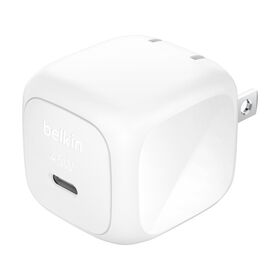
Compact USB-C Wall Charger 45W. Covers iPhone 17 at its full 40W, Pixel 11 Pro XL, and every Galaxy below the S26 Ultra, in a plug the size of the cube it replaces.
-
Shop
Galaxy never shows Super fast charging
Dual USB-C GaN Wall Charger with PPS 45W. PPS on both ports, so a Galaxy gets its Super Fast Charging profile and a second device charges beside it.
-
Shop
The cable failed the swap test
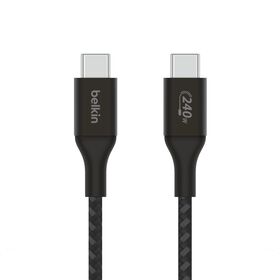
USB-C to USB-C Cable 240W. E-marked for 5 amps, so it never becomes the bottleneck, including for a Galaxy S26 Ultra at 60W or a laptop.
-
Shop
Wireless is stuck at legacy speeds
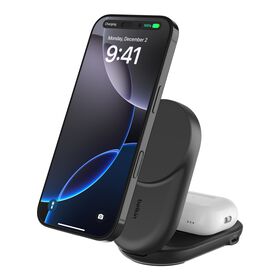
2-in-1 Foldable Magnetic Charger with Qi2 25W. Qi2 25W for iPhone 16, iPhone 17 and Pixel 11, with a second spot for earbuds, and it folds flat for travel.
-
Shop
iPhone 14 or earlier, Lightning port
Braided USB-C to Lightning Cable. MFi certified, so it fast-charges from any USB-C PD charger instead of falling back to 5W.
Everything else, including car chargers and power banks, is under all chargers.
Slow Charging: Your Questions Answered
What does "slow charging" mean on my phone?
It means the phone is receiving less power than it can use. On a Galaxy the lock screen says "Slow charging" or "Check charger" when the charger or cable does not support Fast Charging, or the fast-charging setting is off. An iPhone shows "Slow Charger" when it is getting 7.5W or less, which is what any USB-A charger, laptop port or legacy wireless pad delivers. A Pixel says "Charging slowly" for the same reason. Swap in a USB-C Power Delivery charger and cable and the message goes away. For Android specifics, see our guide to Android phone chargers.
Why is my phone charging so slowly and dying fast?
Slow charging plus fast draining is the signature of a worn battery. As a lithium-ion battery ages its internal resistance rises, so it accepts charge more slowly, gives it up faster and runs warmer doing both. Check the battery health screen in Settings; Apple treats 80% maximum capacity as the point to consider a replacement, and a new battery restores the original charging speed.
Why does my phone stop charging at 80%?
Because a battery feature is holding it there on purpose. Optimized Battery Charging on iPhone, Battery protection on Galaxy and Charge to 80% on Pixel all pause or slow charging around 80% to keep the battery from sitting full and warm, which is what ages it. iPhone 15 and later also let you set a Charge Limit between 80% and 100%. Turn the feature off for a day when you need a full charge; otherwise leave it on.
Will a 65W or 100W charger charge my phone faster?
Not beyond what the phone accepts. An iPhone 17 draws up to about 40W, a Galaxy S26 Ultra up to 60W, and a Pixel 11 Pro up to 30W, and each one negotiates that ceiling with the charger. What a bigger charger does buy you is headroom to charge a laptop or a second device from the same charger, and modern GaN chargers do that in a smaller, cooler package.
Does the same apply to my tablet or iPad?
Yes. A tablet follows the same chain and simply draws more. An iPad wants a 20W or higher USB-C Power Delivery charger, the size Apple sells with it, and iPad Pro models charge faster from a 30W or higher adapter; Galaxy Tab S models take up to 45W and, like Galaxy phones, need PPS for their top speed. The usual reason a tablet crawls is the source: a USB-A charger, a laptop port or a hub delivers a fraction of that. Any USB-C charger rated 30W or more fills an iPad or a Galaxy Tab at full speed.
Why is my phone charging so slowly in the car?
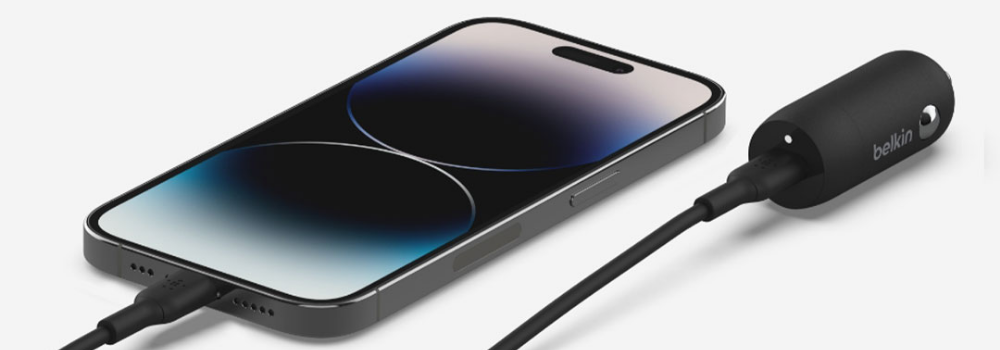
Most built-in car USB ports deliver 5W or less, and that power is shared with the head unit, so running CarPlay or Android Auto can leave almost nothing for the battery. A dedicated USB-C car charger that plugs into the 12V socket and supports Power Delivery, with PPS for Galaxy and Pixel, charges at the same speed as a wall charger.
Is wireless charging slower than wired?
Yes, always, because energy is lost as heat crossing the gap between the coils. The gap has narrowed, though. A legacy Qi pad manages 5W to 10W; Qi2 charges at 15W; Qi2 25W and MagSafe 25W reach 25W on iPhone 16, iPhone 17 and Pixel 11 when the pad is powered by a 30W or higher adapter. That is close to the wired speed of an iPhone 16 and enough to charge overnight or across a desk day without thinking about it. Our explainer on MagSafe and Qi2 covers how the two relate.
Why is my Galaxy charging slowly with a fast charger?
Usually because the charger lacks PPS. Samsung's Super Fast Charging needs USB-C Power Delivery with the PPS extension, and for 45W and above Samsung recommends a 9V/5A PPS charger with a 5-amp e-marked cable. A charger that offers only standard Power Delivery leaves a Galaxy at about 15W with no "Super fast charging" label. Also check that Fast charging is switched on under Settings > Battery > Charging settings, and that Battery protection is not capping the charge.
Does charging overnight slow down my phone?
It does not slow the charge, but it can age the battery, because the phone spends hours full and warm. That is exactly why the 80% features exist. Leave Optimized Battery Charging, Battery protection or Charge to 80% on, charge on a certified charger that runs cool, and keep the phone off the pillow and out of the case if it gets warm.
Chargers and Cables That Fix It
The five products from the buying paths above, with live prices and ratings.


Related Reads
iPhone
Does the iPhone 18 Need a New Charger?

iPhone
iPhone 17 Fast Charging: Up to 40W over USB-C

Wireless
Everything You Need to Know About Qi2 25W Wireless Charging
Wireless
Is MagSafe the Same as Qi2 Wireless Charging?
Wireless
Qi2 Compatibility: Will Your Old Chargers Still Work?
Wireless
ChillBoost: How Belkin's New Cooling Tech Is Changing Qi2 25W Wireless Charging
Android
Belkin's Guide to Android Phone Chargers
Android
Best Android Car Chargers for Fast, Safe Charging on the Road
iPhone
iPhone Air Charging: Complete Guide to Speed, Wattage, and Compatibility

iPhone
How to Maximize Your iPhone 17 Battery Life: Charging & Settings Tips
Chargers
What's to Gain with GaN Charging in 2026?