Premium accessories for iPhone 18. Shop now

Charging
How to Pick a MacBook Charger by Wattage
The watts every MacBook ships with, the watts for 50% in 30 minutes, why the cable matters and which Belkin charger fits each model.
A charger with at least the wattage of the adapter in the box charges your MacBook at its normal speed. More watts works too. Fast charging, 50% in 30 minutes, takes more watts and the right cable.

About the brand

Belkin has made phone and laptop accessories since 1983: chargers, power banks, docks and screen protection. Every product is tested in our own labs and backed by a warranty and real support.
Shop BelkinGet 15% off
New gear, plain answers, and the occasional deal. Blog alerts, product announcements and exclusive offers by email and text.
Sign upEmails and texts. Unsubscribe anytime.
Key takeaways
- Match or beat the adapter in the box. MacBook Neo ships with 20W, MacBook Air with 40W, the 14-inch MacBook Pro with 70W or 96W and the 16-inch with 140W.
- Fast charging to 50% in 30 minutes needs 70W or more on a MacBook Air, 96W or more on a 14-inch MacBook Pro and 140W on a 16-inch.
- A higher-wattage charger works. Apple says any USB-C charger with USB Power Delivery can charge a MacBook, even one with more or fewer watts than the original.
- A lower-wattage charger charges slowly. Under a heavy load the battery may not charge at all, and macOS Tahoe 26.4 shows Slow Charger.
- The cable sets a limit too. A standard USB-C cable carries 60W. Charging at 100W takes a 100W or 240W cable, and 140W over USB-C takes a 240W cable.
The charger stayed at the office, or you want a second one for your bag. Either way, the number that decides it is the watts. Too few and a MacBook Pro charges slowly, or not at all while you work. Enough and it charges at its normal speed.
It does not have to be Apple's. Any USB-C charger that uses USB Power Delivery works, and that standard is how the charger and the MacBook agree on the power before charging starts.
This guide lists the watts every MacBook needs, from the MacBook Neo to the 16-inch MacBook Pro, and what fast charging to 50% in 30 minutes takes.
In a hurry? Find your MacBook in the wattage table, then pick a charger with at least that many watts. For fast charging to 50% in 30 minutes, use the table's third column.
How Many Watts Does Your MacBook Need?
Start with the adapter Apple puts in the box. A charger with the same watts or more charges your MacBook at its normal speed. These are the models Apple sells in 2026.
Swipe the table sideways to see every column.
| MacBook | Adapter in the box | Fast charging needs | A Belkin charger that fits |
|---|---|---|---|
| MacBook Neo | 20W | Not supported | Compact USB-C Wall Charger 45W |
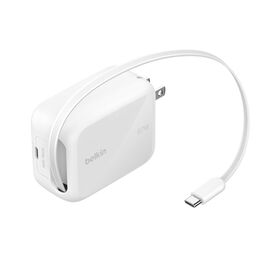
| MacBook Air (M5) | 40W Dynamic, 60W max | 70W or more | Retractable GaN Wall Charger 67W, or the 4-Port GaN Wall Charger 112W to fast charge |
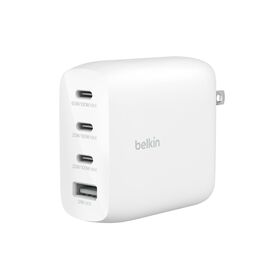
| 14-inch MacBook Pro | 70W or 96W, by chip | 96W or more | 4-Port GaN Wall Charger 112W |
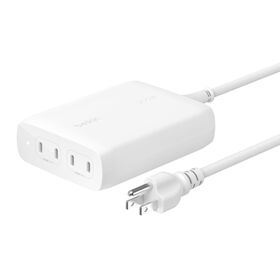
| 16-inch MacBook Pro | 140W | 140W or more | 200W 4-Port USB-C GaN Charger |
Source: Apple's Tech Specs for each model, read September 22, 2026. The MacBook Air row covers the 13-inch and the 15-inch. The 14-inch ships with 70W on the M5 and the 15-core M5 Pro, and 96W on the 18-core M5 Pro and the M5 Max. Fast charging is Apple's 50% in 30 minutes.
The 40W Dynamic Power Adapter in a new MacBook Air box delivers as much as 60W when it can. So a charger of 60W or more keeps pace with it, and the 67W pick clears it.
GaN, in 3 of the 4 chargers' names, is gallium nitride. The transistor material wastes less energy as heat than silicon, so a charger of the same watts is smaller and runs cooler.
Every current MacBook charges over USB-C. The Air and both MacBook Pro sizes also have MagSafe 3 and ship with a USB-C to MagSafe 3 cable. The MacBook Neo charges from either of its 2 USB-C ports.
Older MacBooks: The Watts Each One Came With
Your MacBook's name and year are under the Apple menu, in About This Mac. Find it below, then pick a charger with at least the watts in the middle column.
Swipe the table sideways to see every column.
| MacBook | Adapter in the box | Fast charging needs |
|---|---|---|
| 16-inch MacBook Pro, 2021-2024 | 140W | 140W over MagSafe 3, plus USB-C on the November 2023 and later models |
| 14-inch MacBook Pro, 2021-2024 | 67W, 70W or 96W, by chip | 96W or more |
| 15-inch MacBook Air, 2023-2025 | 35W Dual | 70W or more |
| 13-inch MacBook Air, 2022-2025 | 30W or 35W Dual, by configuration | 70W or more, or Apple's 67W adapter |
| 13-inch MacBook Pro (M2), 2022 | 67W | Not supported |
| 13-inch MacBook Pro, 2016-2020 | 61W | Not supported |
| 16-inch MacBook Pro, 2019 | 96W | Not supported |
| 15-inch MacBook Pro, 2016-2019 | 87W | Not supported |
| MacBook Air, 2018-2020 | 30W | Not supported |
| 12-inch MacBook, 2015-2017 | 29W or 30W | Not supported |
Source: Apple's Tech Specs page for each model, and Apple's fast charge article, updated March 10, 2026. The 2021-2024 MacBook Pro rows cover the M1 to M4 chips, and the 2022-2025 and 2023-2025 MacBook Air rows the M2 to M4. The 2016-2020 13-inch MacBook Pro and 2018-2020 MacBook Air rows include the Intel and M1 models.
For a model not listed here, Apple's Tech Specs pages name the adapter under Battery and Power.
Can You Use a Higher- or Lower-Wattage Charger?
Yes, both work, according to Apple's power adapter guidance. Any USB-C charger that supports USB Power Delivery can charge a MacBook that charges over USB-C, even one with more or fewer watts than its own adapter.
Extra watts sit unused, because the charger and your MacBook agreed on the power before charging started. In the USB standard's words, each device takes only the power it requires. Apple lists the MacBook Neo among the Macs its own 140W adapter works with.
Fewer watts is where charging slows. Apple says a low-wattage charger can charge a Mac slowly or unreliably. If the watts cover only what the MacBook is using, it can show Not Charging. It keeps running without draining the battery.
- More watts than the adapter in the box: charges at the normal speed, and fast charges to 50% in 30 minutes if it reaches your model's fast-charge figure.
- The same watts: charges at the normal speed.
- Fewer watts: charges more slowly, and may not charge while the MacBook works hard.
Fast Charging a MacBook: 50% in 30 Minutes
Apple rates fast charging at 50% in 30 minutes. It takes enough watts, the right cable and a MacBook that supports it, all 3 together. Apple's fast charge article lists the combinations:
- The MacBook Air, 2022 or later: 70W or more, over MagSafe 3 or USB-C. Apple's 67W adapter also works on the 13-inch.
- The 14-inch MacBook Pro, 2021 or later: 96W or more, over MagSafe 3 or USB-C.
- The 16-inch MacBook Pro, 2021 or later: 140W over MagSafe 3. Over USB-C, only the November 2023 and later models, with a 240W cable.
- No fast charging: MacBook Neo, the 13-inch MacBook Pro, the M1 MacBook Air and Intel MacBooks.
The 40W adapter in a new MacBook Air box is not on Apple's fast charge list. Apple sells its 70W adapter as the Air's fast-charging option.
A second charger does not help. A MacBook charges from 1 port at a time, the one with the most power, whether that is MagSafe or USB-C.
The Cable Sets a Limit Too
A charger cannot push more power through a cable than the cable is rated for. Under the USB standard, a regular USB-C cable is rated for 3 amps, which is 60W at 20 volts.
Above 60W, the cable needs an electronic marker chip, an e-marker, that tells the charger it can carry 5 amps. Above 100W, it must also support Extended Power Range, the USB Power Delivery 3.1 mode behind 140W and 240W charging.
Swipe the table sideways to see every column.
| Cable rating | Most power it carries | Enough for |
|---|---|---|
| Standard USB-C, 3A | 60W at 20V | MacBook Neo and MacBook Air at their normal speed |
| 100W USB-C, 5A with an e-marker | 100W at 20V | Fast charging a MacBook Air at 70W or a 14-inch MacBook Pro at 96W |
| 240W USB-C, Extended Power Range | 240W at 48V | Fast charging a 16-inch MacBook Pro over USB-C at 140W |
Sources: USB-IF, USB Power Delivery and the USB Type-C cable specification. The 16-inch's 240W cable comes from Apple's fast charge article.
If your MacBook has MagSafe 3, the USB-C to MagSafe 3 cable in its box carries the full charge, including 140W on a 16-inch. Apple also warns that some USB-C cables carry data only and do not charge at all.
The USB-C cable guide explains cable ratings in depth, and the USB Power Delivery guide covers the standard itself.
How to Check the Watts Your MacBook Gets
Your Mac reports the charger's wattage itself. Hold the Option key, open the Apple menu and choose System Information. Select Power, then find the wattage under AC Charger Information. The adapter's own label lists its wattage too.
The battery status menu tells you more, per Apple's charging article:
- Slow Charger: on macOS Tahoe 26.4 or later, the charger delivers too few watts for your model. A charger with at least the watts in the table for your model charges it at the normal speed.
- Not Charging: the charger has too few watts, or apps such as video editing use more than it gives. On a low-wattage charger, you can keep working without draining the battery.
- Not Charging above 93%: your Mac may be pausing on purpose to extend the battery's life. It starts again once the battery drops to 93%.
Belkin Chargers for Every MacBook
There is a pick below for each MacBook in the table above. Each one meets or beats that model's figure from a single port.
Why these 4: each one meets Apple's watts for its MacBook from a single port, because a MacBook charges from 1 port at a time. Prices and ratings update from the store.
For MacBook Neo
Compact USB-C Wall Charger 45W
- 45W USB-C
- PD 3.1
- 34 x 34 x 35mm
- More than twice the 20W MacBook Neo adapter
- Foldable prongs for travel
- Charges an iPhone 16 Pro to 50% in 28 minutes
For MacBook Air
Retractable GaN Wall Charger 67W
- 67W
- Cable built in
- 1 extra USB-C port
- More than the 60W peak of the MacBook Air adapter
- Retractable 3.3ft/1m USB-C cable
- Charges 2 devices at once
For the 14-inch
- 100W single port
- 112W total
- 4 ports
- Its 100W fast charges a MacBook Air or a 14-inch MacBook Pro
- 3 USB-C ports and 1 USB-A port
- Supports PD 3.1, PD 3.0 and PPS
For the 16-inch
- 140W single port
- 200W total
- PD 3.1 EPR
- Fast charges a 16-inch MacBook Pro at 140W
- Charges 4 devices at once
- Sits on the desk, with a 5ft power cord
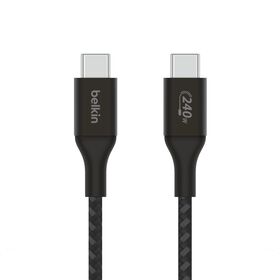
The 112W and 200W chargers come without a cable. For 100W or more over USB-C, add the 240W cable in the carousel below. Away from an outlet, the Laptop Power Bank 25K puts out 140W from its built-in cable. At 90Wh it flies in a carry-on, as our guide to flying with a power bank explains.
Why trust Belkin
Belkin has made phone and laptop accessories since 1983. The chargers and the power bank on this page carry a 2-year warranty and a $2,500 Connected Equipment Warranty, and the cable a 2-year warranty. The wattage figures come from Apple's own Tech Specs and support pages, linked where they are used.
MacBook Charger Wattage: Your Questions Answered
What wattage charger do I need for my MacBook?
Match the adapter that came in the box, or go higher. That is 20W for a MacBook Neo, 40W for an M5 MacBook Air and 140W for a 16-inch MacBook Pro. The 14-inch ships with 70W or 96W.
How many watts is a MacBook Air charger?
The M5 MacBook Air ships with Apple's 40W Dynamic Power Adapter, which delivers as much as 60W. Earlier Air models came with 30W or 35W adapters. To fast charge an Air, use 70W or more.
What size power adapter does a MacBook Pro need?
The 14-inch MacBook Pro ships with 70W or 96W, depending on the chip, and fast charges with 96W or more. The 16-inch ships with 140W and fast charges with 140W.
Can I use any USB-C charger for my MacBook?
Yes, if it supports USB Power Delivery. Apple says any such USB-C charger can charge a MacBook, even with more or fewer watts than the original. Fewer watts charges more slowly.
Can I use a higher-wattage charger on my MacBook?
Yes. Apple says a MacBook can charge from a USB-C charger with more watts than its own adapter. With USB Power Delivery, each device takes only the power it requires.
What happens if I use a lower-wattage charger?
Your MacBook charges more slowly, and macOS Tahoe 26.4 or later shows Slow Charger. If the watts cover only what the MacBook is using, it can show Not Charging, and it keeps running without draining the battery.
Can I charge my iPhone with my MacBook charger?
Yes. A USB-C MacBook charger with USB Power Delivery charges an iPhone 15 or later over a USB-C cable, and the iPhone takes only the power it needs. See which charger an iPhone 17 needs.
What cable do I need to charge a MacBook Pro at 140W?
A 240W USB-C cable, the kind rated for Extended Power Range, or the MagSafe 3 cable from the box. Apple supports 140W over USB-C on the 16-inch MacBook Pro from the November 2023 models on.
Can I use any USB-C cable to charge my MacBook?
Only for lower wattages. A standard USB-C cable carries 60W. Above that you need a 100W or 240W cable with an e-marker chip, and some USB-C cables carry data only.
Can I charge a MacBook Pro from any USB-C port?
Yes. Every USB-C and Thunderbolt port on a current MacBook Pro supports charging, and so does MagSafe 3. The MacBook charges from 1 port at a time, the one with the most power.
How many watts do I need to charge a MacBook and a phone at once?
Add up what each device needs, then check the charger's split between ports. A 65W charger that splits 45W and 20W suits a MacBook Air and an iPhone. For a 16-inch MacBook Pro and a phone, pick 140W from 1 port, like the 200W 4-Port USB-C GaN Charger among Belkin's GaN chargers.
Can a power bank charge a MacBook?
Yes, if it has a USB-C port with Power Delivery. Belkin rates the Laptop Power Bank 25K at 17 extra hours for a 14-inch MacBook Pro, with 140W from its built-in cable. A power bank with fewer watts charges more slowly.
Shop MacBook Chargers and Cables
Every charger here puts out 45W or more over USB-C.
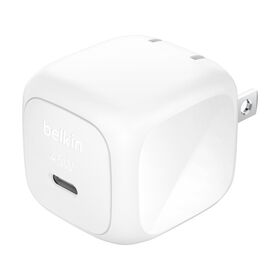
Wall charger
Compact USB-C Wall Charger 45W
$19.99Coming soon
Wall charger
Retractable GaN Wall Charger 67W
$39.99Coming soon
Wall charger
4-Port GaN Wall Charger 112W
$46.99Shop
Desktop charger
200W 4-Port USB-C GaN Charger
$129.99Shop
Cable
USB-C to USB-C Cable 240W
$15.99Shop
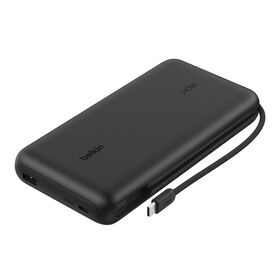
Laptop power bank
Laptop Power Bank 25K
$99.99Shop