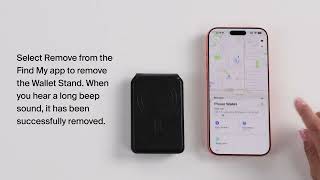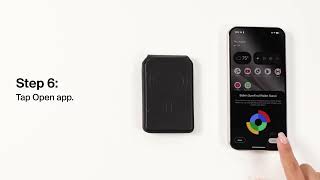
Video Tutorial | SureFind Wallet Stand

VIDEO GUIDE

Belkin SureFind Wallet Stand Video Tutorials

The SureFind Wallet Stand combines a magnetic wallet, adjustable phone stand, and item finder in a single accessory, so you can locate your wallet using either Apple or Android devices. Choose the video that matches your phone below.

iOS
 
Android
Belkin SureFind Wallet Stand video tutorial for iOS and Apple Find My   Belkin SureFind Wallet Stand video tutorial for Android and Google Find My Device

SureFind Wallet Stand with Apple Find My


SureFind Wallet Stand with Google Find My Device

iPhone, iPad, and iPod touch models running iOS or iPadOS 14.5 or later.


Android 9.0 or later devices that support Google Mobile Services (GMS).

▶ Watch on YouTube
 
▶ Watch on YouTube
 

Before You Start

➤

A compatible phone

iOS or iPadOS 14.5 or later for Apple Find My, or Android 9.0 or later with Google Mobile Services for Google Find My Device.


➤

One tracking app at a time

The wallet can only be paired to Apple Find My or Google Find My Device at one time, not both.


➤

Bluetooth turned on

Pair the wallet with Apple Find My or Google Find My Device to start tracking it.


➤

A wireless charger

There is no USB-C port. Charge the built-in battery by placing the wallet on a compatible wireless charger.


Quick Tips

  • If the wallet is not appearing in the tracking app, check that Bluetooth is enabled, confirm the wallet is turned on, verify the phone meets the minimum operating system requirements, restart the phone, and remove and pair the wallet again if necessary.
  • If no sound is heard when trying to locate the wallet, confirm that the wallet has sufficient battery charge, is within Bluetooth range, the locate command was successfully initiated from the app, and the speaker opening is not obstructed.
  • If the wallet is not charging, verify that the wireless charger is functioning properly, reposition the wallet on the charging surface, remove any objects that may interfere with charging, and try a different wireless charger if available.
  • To switch between Android and iPhone, remove the wallet from the current tracking app, reset it if required, then pair it with the new platform's tracking network.
 

Related Articles

Getting to Know the Belkin SureFind Wallet Stand (MMA016) ›
Belkin SureFind Wallet Stand (MMA016) FAQs ›
Belkin SureFind Wallet Stand (MMA016) User Guide ›

Still have questions?

Contact Support

Copyright 2026 Belkin International, Inc.

Additional Support Questions?
Search Again