Premium accessories for Galaxy S26. Shop now.


Power Strips
Expand your outlet capacity with Belkin power strips. Multiple outlet configurations, heavy-duty cords, and space-saving designs make it easy to power your home office, entertainment center, or workspace.
Sort by
https://www.belkin.com/products/surge-protectors/power-strips/?start=0&sz=12


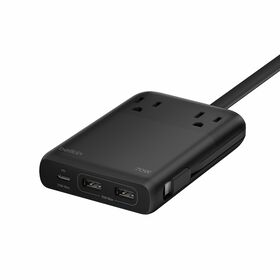
-3-outletChargStation-2-USA-2-USB-C_70W_Hero_WEB__lz__en_US.jpg?sw=280&sh=280&sm=fit&sfrm=png)



What People Should Know About Power Strips
Answers to the hard to find power strip questions, covering safety ratings, outlet limits, cord lengths, and which devices should never be plugged into a power strip.
How Does a Power Strip Differ from a Surge Protector?
A power strip expands a single wall outlet into multiple outlets but provides no protection against voltage spikes. A surge protector contains Metal Oxide Varistors (MOVs) that clamp voltage and divert excess current to ground. Both look similar, but only one protects your electronics.
| Feature | Power Strip | Surge Protector | Belkin Models |
|---|---|---|---|
| Extra outlets | Yes | Yes | 2, 3, and 6-outlet power strips |
| Voltage spike protection | No | Yes (MOV-based) | Power strips: No / Surge protectors: Yes |
| Joule rating | None / 0J | 306J–4,320J | Power strips rated as "Power Strip" (0J) |
| Safety certified | Yes (UL 1363) | Yes (UL 1449) | All Belkin power strips are safety certified (UL, ETL, or TUV) |
| Connected Equipment Warranty | No (basic strips) / $2,500 (charging stations) | Up to $400,000 | Charging stations: $2,500 CEW / Basic strips: No CEW |
| USB charging ports | Some models | Some models | USB-A & USB-C up to 140W on select charging stations |
If the packaging does not list a joule rating, the product is a power strip. Use power strips for basic items like lamps and fans. Use surge protectors for computers, TVs, and other valuable electronics.
What Devices Should Never Be Plugged into a Power Strip?
High-wattage appliances can exceed a power strip's capacity, causing overheating, melted housing, or fire. The following devices should always be plugged directly into a wall outlet on a dedicated circuit:
A standard 15-amp power strip can handle 1,800 watts maximum (1,440W for continuous loads running 3+ hours per NEC 80% rule). A single space heater on its highest setting uses 1,500W, leaving only 300W for everything else on the strip.
What Happens When You Daisy-Chain Power Strips?
Daisy-chaining means plugging one power strip into another to gain more outlets. This is one of the most common and most dangerous electrical mistakes in homes and offices. Every major electrical safety authority prohibits this practice.
If you need more outlets than a single power strip provides, install additional wall outlets or use a single power strip with a higher outlet count. Belkin offers 6-outlet power strips that eliminate the temptation to daisy-chain.
How Many Devices Can You Safely Plug into a Power Strip?
The number of outlets on a power strip is not the same as the number of devices you can safely run simultaneously. Total wattage of all connected devices must stay below the strip's amperage rating, which is typically 15 amps (1,800 watts) for residential power strips.
The amp rating is shared across all outlets, not per-outlet. Add up the wattage of every device you plan to connect before plugging in. When in doubt, check the wattage label on each device's power adapter.
What Should You Look for When Buying a Power Strip?
Not all power strips are built to the same standard. The features that matter most depend on where you plan to use it and what you plan to plug in. Here are the key specifications to compare:
Avoid power strips that lack safety certification (UL, ETL, or TUV) or do not list an amp rating on the packaging. These are the two most basic safety indicators for any power distribution product.
How Long Do Power Strips Last Before They Need Replacing?
Power strips do not last forever. Internal contacts wear over time, cords degrade from repeated flexing, and housing can become brittle. Unlike surge protectors (which lose MOV capacity), power strips degrade mechanically rather than electronically.
A power strip that still provides power is not necessarily safe. Physical wear to contacts, cords, and housing can create fire and shock hazards long before the strip stops working entirely.
Are USB Ports on Power Strips as Fast as Wall Chargers?
USB ports built into power strips share the unit's internal power supply. Charging speeds vary significantly based on port type, total wattage allocation, and how many ports are in use simultaneously. Here is how they compare to dedicated wall chargers:
Belkin's 2-Outlet Charging Station with USB-A and 3 USB-C Ports delivers up to 140W total USB power, matching or exceeding many dedicated wall chargers. The 70W models are optimized for phone and tablet fast charging. Total wattage is shared when multiple USB ports are in use simultaneously.
Which Power Strip Configuration Works Best for Each Room?
Different rooms have different power needs. Outlet count, USB port availability, cord length, and form factor all matter depending on the location and devices you are powering.
For rooms with expensive electronics (computers, TVs, gaming consoles), consider upgrading to a Belkin surge protector instead of a power strip. Power strips expand outlet capacity but do not protect against voltage spikes.
Power Strips FAQ
A power strip is a multi-outlet device that expands a single wall outlet into multiple outlets, allowing you to plug in several devices at once. It functions as an extension of your existing electrical outlet, using one plug to provide anywhere from 3 to 12 additional outlets depending on the model. Power strips typically feature a power cord ranging from 3 to 15 feet, an on/off switch for convenience, and a compact housing designed to fit behind desks, entertainment centers, or workstations. Unlike surge protectors, basic power strips do not protect your devices from voltage spikes or power surges, they simply provide additional outlet capacity.
A power strip is a basic outlet extender that provides additional plug-in capacity but offers no protection against electrical surges or spikes. A surge protector includes the same multi-outlet functionality but adds internal components that divert excess voltage away from your connected devices during power surges, lightning strikes, or voltage spikes. Surge protectors are rated in joules, which measures their energy absorption capacity, and often include indicator lights showing protection status. If you're plugging in valuable electronics like computers, TVs, or gaming consoles, a surge protector is recommended. For basic, low-risk items like lamps or phone chargers, a power strip may be sufficient.
No. Daisy-chaining power strips, meaning plugging one power strip into another, is a serious fire hazard and violates electrical safety codes. This practice can overload the circuit, cause overheating, and potentially start an electrical fire. Each power strip is designed to handle a specific electrical load, and connecting them in series can exceed that capacity quickly, especially when multiple devices are drawing power simultaneously. If you need more outlets, use a single power strip with a higher outlet count, install additional wall outlets, or distribute your devices across outlets on different circuits. Never use extension cords or adapters to connect multiple power strips together.
High-wattage appliances and heat-generating devices should never be plugged into a power strip. These include space heaters, portable air conditioners, refrigerators, freezers, microwaves, toasters, coffee makers, slow cookers, hair dryers, curling irons, and portable heaters. These appliances draw significant electrical current and can quickly exceed a power strip's capacity, leading to overheating, melted components, or electrical fires. Additionally, avoid plugging sump pumps, aquarium equipment, or any life-support medical devices into power strips, as these require dedicated, reliable outlets. Large appliances like washers, dryers, and window AC units should always be plugged directly into a wall outlet.
Yes. Belkin power strips and surge protectors are tested and certified by Underwriters Laboratories (UL), an independent safety certification organization. UL certification means the product has been rigorously tested to meet strict safety standards for electrical devices, including proper grounding, overcurrent protection, and fire-resistant housing materials. When purchasing any power strip, look for the UL certification mark on the product and packaging, this ensures the device meets nationally recognized safety standards. Belkin products are third-party tested to meet the strictest safety requirements for residential and commercial use.
It depends on what you're plugging in. Use a surge protector for valuable or sensitive electronics including computers, laptops, monitors, TVs, gaming consoles, routers, modems, printers, and home theater equipment. These devices contain delicate circuitry that can be damaged or destroyed by power surges. Use a power strip for basic, low-cost items where surge damage wouldn't be a significant loss such as lamps, fans, phone chargers, or simple clocks. When in doubt, choose a surge protector. The cost difference is minimal, but the protection for your electronics can save you hundreds or thousands of dollars in replacement costs. Belkin surge protectors also include Connected Equipment Warranties covering damage to properly connected devices.
No. Standard power strips are designed for indoor use only in dry locations. Using a power strip outdoors exposes it to moisture, rain, humidity, and temperature extremes that can cause electrical shorts, corrosion, shock hazards, or fire. If you need outdoor power, use a weatherproof outdoor power strip or extension cord specifically rated for outdoor use. Always check the product specifications to confirm outdoor ratings. Belkin power strips and surge protectors are designed for indoor use in dry areas and should never be used outdoors, near pools, or in damp environments like garages or basements with moisture issues.