

Screen Protectors for Samsung
Belkin screen protectors are engineered for Samsung’s ultrasonic fingerprint sensor. Premium glass and rPET options for Galaxy S26, S25, S24, and more, featuring edge‑to‑edge coverage and bubble‑free installation.
Choose your device:
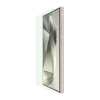
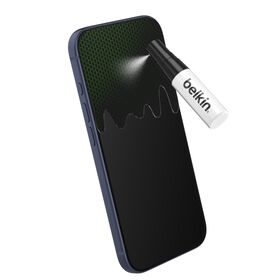

 Titan Glass PET Anti-Reflective Privacy Screen Protector-webgg-01-hero.jpg?sw=280&sh=280&sm=fit&sfrm=png)
 Titan Glass PET Anti-Reflective Privacy Screen Protector-webgg-01-hero.jpg?sw=280&sh=280&sm=fit&sfrm=png)
 Titan Glass PET Anti-Reflective Privacy Screen Protector-webgg-01-hero.jpg?sw=280&sh=280&sm=fit&sfrm=png)

 Titan Glass PET Anti-Reflective Privacy Screen Protector-webgg-01-hero.jpg?sw=280&sh=280&sm=fit&sfrm=png)
 Titan Glass PET Anti-Reflective Privacy Screen Protector-webgg-01-hero.jpg?sw=280&sh=280&sm=fit&sfrm=png)


Yes, but you need to choose the right type. Samsung Galaxy phones use ultrasonic fingerprint sensors that send sound waves through the display to read your fingerprint. For best results: Use protectors specifically labeled "fingerprint compatible" or "ultrasonic compatible," choose tempered glass with full adhesive or UV-cured installation rather than edge-only adhesive, re-register your fingerprints after installation, and enable "Touch sensitivity" in Settings > Display if you experience issues.
Tempered glass screen protectors are thicker (typically 0.3mm), offer superior scratch and shatter resistance with 9H hardness ratings, and feel more like your phone's original glass. Film protectors (TPU or hydrogel) are thinner, more flexible, and better for curved screens; they also tend to work more reliably with ultrasonic fingerprint sensors. Tempered glass provides better drop protection, while film protectors offer better touch sensitivity and are easier to apply without bubbles.
Yes, a screen protector is still recommended. While Gorilla Glass (and Gorilla Glass Armor on Ultra models) is highly resistant to drops and most scratches, it can still be scratched by hard minerals like sand, quartz, and certain jewelry materials. These micro-scratches accumulate over time and dull your display. A screen protector acts as a sacrificial layer, it's far cheaper to replace a protector than a $300+ screen repair. The protector handles daily wear while Gorilla Glass provides underlying shatter resistance.
First, delete all saved fingerprints in Settings > Security > Biometrics > Fingerprints. Then re-register each finger, pressing firmly and covering different angles of your fingertip during setup. Enable "Touch sensitivity" in Settings > Display. If issues persist, try registering the same finger in two separate fingerprint slots for better recognition. Make sure your screen protector has no air bubbles over the sensor area. For stubborn problems, a full-adhesive or UV-cured tempered glass protector typically works better than edge-adhesive options.