
iPhone 16 배터리 수명을 최대화하는 방법: 충전 & 설정 팁
2024년 9월 9일
Apple 팬의 환호 속에 iPhone 16이 마침내 출시되었습니다. Apple의 최신 iPhone 모델은 놀라운 새 기능이 여럿 탑재되어 있으며, Belkin은 이 기능을 최대한 활용할 수 있도록 지원하게 되어 기쁩니다. 이 수많은 업데이트로 끊임없이 즐거움을 누리려면 iPhone 16의 배터리 수명을 보존하고 최대화하는 데 집중하는 것이 중요합니다. 이 블로그에서는 독자 여러분이 새 휴대폰의 수명을 연장하고 장치를 최대한 활용할 수 있도록 배터리 충전 팁, 배터리 성능을 최대화하기 위한 설정 조정, 배터리 상태 관리의 모범 사례에 대해 다룹니다.
배터리 상태 이해
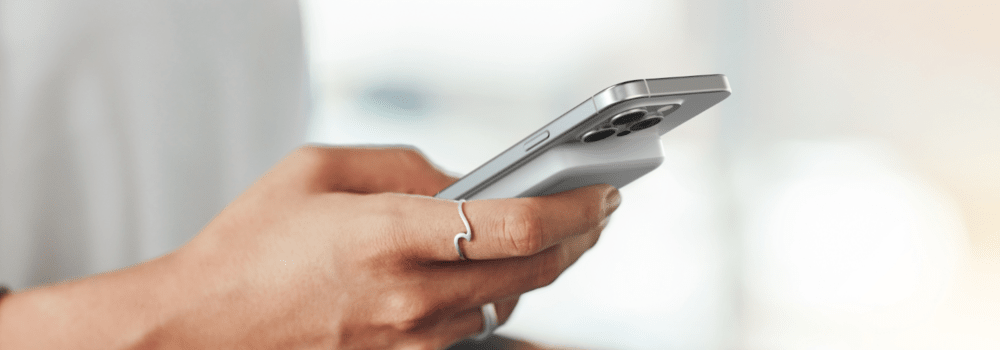
iPhone의 배터리는 효율성으로 유명한 리튬 이온 배터리입니다. 노트북, 휴대전화, 하이브리드 자동차, 전기차 등 리튬 이온 배터리는 우리 일상에 필수적인 다양한 제품에 전력을 공급합니다. 리튬 이온 배터리는 기존 배터리에 비해 빠른 충전 속도를 제공하고 작은 패키지로도 강력한 성능을 제공하도록 설계되었습니다. 이런 리튬 이온 배터리에 손상을 일으키는 요인과, 효율을 높이고 수명을 연장하기 위해 할 수 있는 일이 무엇인지 살펴보겠습니다.
- 충전 주기: iPhone을 사용할 때 배터리는 충전 주기를 거칩니다. 배터리 용량의 100%에 해당하는 양을 사용하면 한 사이클이 완료됩니다. 시간이 지남에 따라 이 사이클이 배터리 수명을 단축시킵니다.
- 열: 과열은 배터리 성능을 더 빨리 저하시킬 수 있습니다. iPhone을 해변의 직사광선에 노출시키거나 충전하는 동안 사용하는 등 고온의 환경에 두면 더 많은 열이 발생할 수 있습니다. 온도 경고가 뜨거나, 앱이 오류나 충돌을 일으키거나, 휴대폰이 갑자기 꺼지는 경우 휴대폰이 과열되었다는 것을 알 수 있습니다. iPhone은 16°C~22°C(62°~72°F)의 온도 범위에서 사용하는 것이 좋습니다.
- 충전 습관: 배터리 잔량이 0%가 될 때까지 방치하거나 항상 100%까지 충전하면 배터리 수명이 짧아질 수 있습니다. 리튬 이온 배터리는 충전량을 25%에서 85% 사이로 유지했을 때 가장 오래 갑니다. 정기적으로 휴대폰이 방전되기를 기다리기 보다는, 원할 때마다 충전하면 배터리 수명을 최대화할 수 있습니다.
iPhone 배터리 설정 팁
설정만으로도 iPhone의 배터리 수명을 최대화할 방법은 여러 가지입니다. 배터리 수명을 연장하는 데 도움이 되는 간단한 업데이트를 살펴보겠습니다.
- 화면 밝기 줄이기: 화면 밝기를 낮추거나 자동 밝기 기능을 활성화하면 배터리를 많이 절약할 수 있습니다. 설정 > 디스플레이 & 밝기로 이동합니다.
- 백그라운드 앱 새로 고침 끄기: 백그라운드에서 업데이트할 필요가 없는 앱의 경우 이 기능을 비활성화하세요. 설정 > 일반 > 백그라운드 앱 새로 고침으로 이동합니다.
- 위치 서비스 제한: 앱 위치 액세스는 필요한 경우에만 허용하세요. 설정 > 개인정보 보호 > 위치 서비스로 이동합니다.
- 푸시 이메일 비활성화: 이메일에서 데이터 가져오기를 수동으로 하거나 빈도를 낮게 설정합니다. 설정 > 메일 > 계정 > 새 데이터 가져오기로 이동합니다.
- 불필요한 알림 끄기: 알림의 수를 줄이면 배터리 수명을 절약할 수 있습니다. 설정 > 알림으로 이동합니다.
- 다크 모드 사용: 휴대폰을 다크 모드(즉, 이메일/메시지를 검은색 배경으로 표시)로 바꾸면 배터리 수명과 사용 시간을 늘릴 수 있습니다. 설정 > 디스플레이 & 밝기로 이동합니다.
- 내비게이션 앱 제한: Waze와 같은 내비게이션 앱은 목적지에 도착한 후에도 계속해서 GPS를 사용합니다. 설정 > 앱(예: Waze) > 위치로 이동하세요.
5가지 iPhone 충전 모범 사례
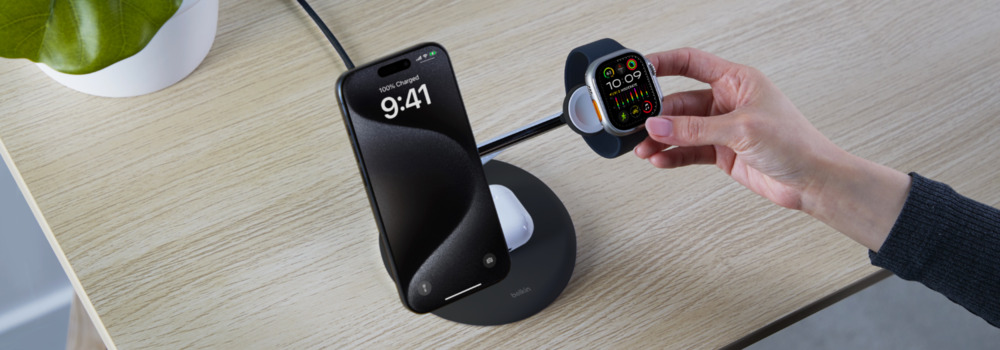
적절한 장치를 사용하더라도 휴대폰을 충전하는 방법에 따라 배터리 상태와 수명이 결정됩니다. 다음은 iPhone 16을 올바르게 충전하기 위한 몇 가지 팁과 모범 사례입니다.
- 과충전 피하기: 휴대전화를 과충전하면 과도한 발열이 생깁니다. iPhone 16 등 최신 스마트폰에는 과충전을 방지하는 메커니즘이 있지만, 그래도 배터리가 약 80%에 도달하면 장치를 충전기에서 뽑아두는 것이 좋습니다.
- 배터리 충전 최적화: iPhone 16에는 사용자의 일상적인 충전 습관을 학습하여 배터리 마모를 최소화하는 "최적화된 배터리 충전" 기능이 탑재되어 있습니다. 이 기능은 배터리가 80%이면 완전 충전하지 않고 사용자가 사용할 때까지 대기합니다. 설정에서 이 기능을 활성화할 수 있습니다.
- iOS 업데이트: 항상 장치의 소프트웨어가 최신 버전으로 업데이트되어 있는지 확인하세요. 그러면 오류와 속도 저하를 제거하여 이를 보상하기 위해 배터리가 과도하게 작동하는 문제를 해결하는 데 도움이 됩니다.
- 설정 최적화: 가능한 화면 밝기를 조절하세요. 자동 밝기 설정을 켜면 주변 환경에 따라 밝기를 자동으로 조절하여 배터리 수명을 연장할 수 있습니다. 또한 WiFi가 있는 곳에서는 연결을 기본으로 설정할 수 있는데, 이는 셀룰러 데이터보다 배터리 전력을 적게 소모합니다.
- 저전력 모드: 이 기능은 휴대폰 배터리가 20%에 도달하면 알림을 보내고 장치 성능을 최적화하기 시작합니다. 일부 앱의 백그라운드 콘텐츠 다운로드를 중단하고, 일부 앱은 비활성화합니다. 전화 통화, 이메일, 메시지, 인터넷과 같은 필수 기능은 계속 사용할 수 있으며, 휴대폰의 배터리가 돌아오면 해당 모드가 자동으로 꺼집니다.
iPhone 충전기 유형: 유선 충전 vs. 무선 충전
유선 충전이 무선 충전보다 나은지 궁금하실 수도 있습니다. 특정 방식이 다른 방식보다 반드시 나은 것은 아니지만, 차이점을 알아 두면 적절한 결정을 내리는 데 도움이 될 수 있습니다. 생각해 두어야 할 핵심 요소는 다음과 같습니다.
- 충전 속도: 유선 충전은 무선 충전보다 빠릅니다. 그러나 MagSafe와 Qi2 등 자석을 사용하여 빠르고 효율적인 충전을 보장하는 무선 충전 기술이 개발되면서 무선 충전도 전보다 빨라졌습니다.
- 편리함: 무선 충전은 케이블을 신경 쓸 일이 적고, 이동 중에 편리하며, 여행에 적합합니다.
- 비용: 유선 충전은 일반적으로 $20에서 $40 범위로 가장 저렴한 솔루션이 될 것입니다. 무선 충전기는 $20에서 $150 범위입니다.
- 고품질 케이블: iPhone을 충전하는 데 사용하는 케이블은 충전기만큼 중요합니다. 고품질의 USB-IF 인증 케이블을 사용하면 충전기에서 배터리로의 전력 전송이 효율적으로 이루어지고, 누전이나 과열 위험이 최소화됩니다. 필요한 케이블이 라이트닝이든 USB-C든, Belkin은 안전하고 안정적인 충전을 위한 여러 가지 옵션을 제공합니다.
iPhone 충전기를 선택할 때 추가로 고려해야 할 사항
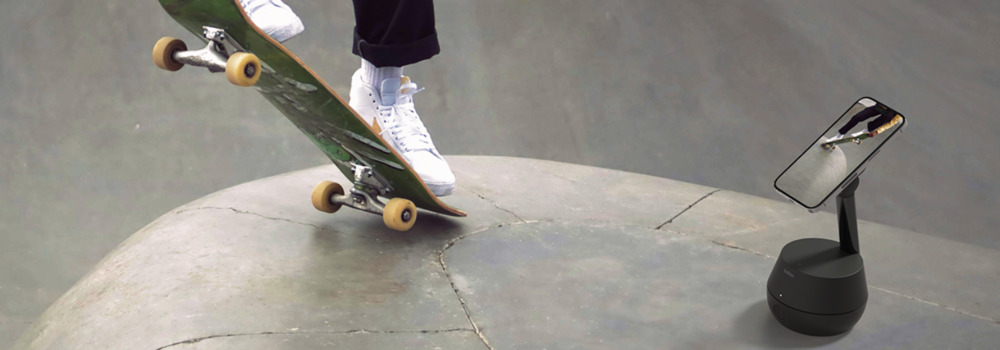
사용하는 충전기 유형은 iPhone 배터리의 수명에도 영향을 미칩니다. 배터리 수명을 연장하는 데 도움이 되는 제품을 찾는 것이 중요합니다. 충전기를 선택할 때는 다음 요소를 고려하세요.
- USB-IF 인증 충전기: USB-IF(USB Implementers Forum)는 USB 기술의 호환성과 기능을 보장합니다. USB-IF 인증은 해당 충전기가 업계에서 정한 표준을 충족하고 품질 좋은 제품과 성능을 제공한다는 것을 의미합니다. 인증되지 않은 충전기는 일관적인 전압 조절 기능을 제공하지 못하기도 하는데, 이 경우 iPhone이 강제로 전압을 보정하여 열이 발생할 수 있습니다. 또한 품질이 좋지 않은 충전기는 종종 전기적 잡음을 방출합니다. 이는 iPhone의 셀룰러 및 무선 기능을 방해하므로 휴대폰이 원치 않는 신호를 억제하려는 과정에서 더 많은 열이 발생합니다.
- 와트수 및 전원 공급: iPhone 16은 고속 충전을 지원하며, 적절한 와트수의 충전기를 사용하면 큰 차이를 느낄 수 있습니다.
- 빠른 충전 속도: 휴대폰의 배터리를 최대한 빠르게 충전하려면 휴대전화가 처리할 수 있는 최대 와트를 공급하는 충전기가 필요합니다.
- 효율적인 전원 관리: USB-IF 인증 충전기는 전원 공급을 효율적으로 관리하도록 설계되어 휴대폰과 함께 배터리가 과열되거나 과부하되지 않게 합니다.
iPhone 16 충전 액세서리
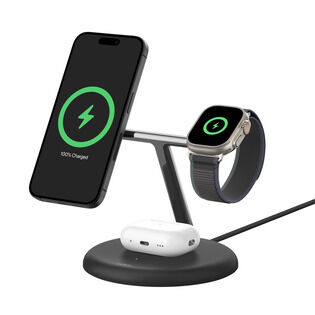
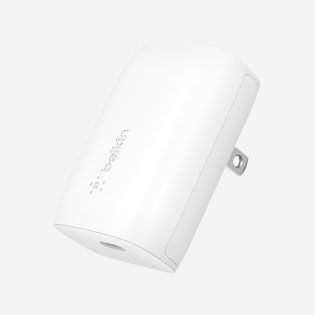
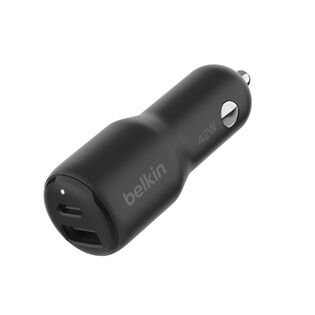
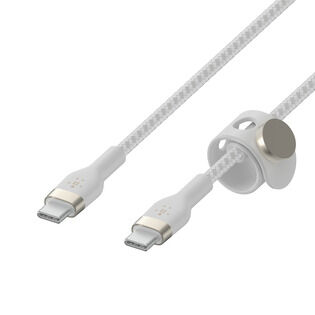
배터리를 잘 관리하면 배터리 수명이 늘어날 뿐만 아니라, 장치의 전체 성능도 향상됩니다. 그러니 현명하게 선택하고 스마트하게 충전하세요. 엄격한 테스트를 거치고 높은 평가를 받은 고품질 충전 옵션을 살펴보세요.
How to Save iPhone 17 Battery: FAQs
Yes, it's safe to charge your iPhone 17 overnight. Make sure Apple's Optimized Battery Charging feature is enabled in Settings > Battery > Charging. It learns your daily routine and waits to finish charging past 80% until you actually need it, which reduces wear on the battery over time.
No. The iPhone 17, 17 Pro, and 17 Pro Max are designed to handle USB Power Delivery fast charging up to 40W safely, with built-in thermal management and charging-curve logic that protects long-term battery health. iPhone Air handles its 20W ceiling the same way.
Use USB-IF certified chargers and cables, avoid extreme temperatures, enable Optimized Battery Charging in Settings, and try to keep the battery between 25% and 85% rather than letting it drain to 0% or sit at 100% for long stretches.
Apple rates iPhone 17 Pro Max at up to 39 hours of video playback, the longest battery life of any iPhone to date. iPhone 17 Pro is rated at up to 33 hours, iPhone 17 at up to 30 hours, and iPhone Air at up to 27 hours.
Yes. The charger you choose affects both charging speed and long-term battery health. For iPhone 17 Pro models, a 40W or higher USB PD charger unlocks full 40W fast charging. For iPhone Air, anything 20W or higher gives you full speed. Always look for USB-IF certified chargers and a USB-C to USB-C cable rated for at least 60W (3A).
Yes. iPhone 15, iPhone 16, iPhone 17, and iPhone Air all use USB-C. iPhone 14 and earlier still use Lightning.
Use USB-IF certified chargers and cables, enable Optimized Battery Charging in Settings, keep your iPhone within Apple's recommended temperature range (16 to 22 degrees C / 62 to 72 degrees F), and try to keep the battery between 25% and 85% in normal daily use rather than running it to 0% or sitting at 100% for hours. For travel, where temperature extremes and unreliable outlets are common, a TSA-approved power bank is a useful safety net.
No. Any USB-IF certified charger is safe to use with iPhone 17. USB Power Delivery negotiates voltage and current with the phone, so even a 100W laptop charger only delivers what the iPhone is designed to draw.
Yes, the iPhone 17 family delivers meaningful battery improvements over iPhone 16 across every model:
- iPhone 17 Pro Max: up to 39 hours video playback (vs iPhone 16 Pro Max at 33 hours)
- iPhone 17 Pro: up to 33 hours (vs iPhone 16 Pro at 27 hours)
- iPhone 17: up to 30 hours (vs iPhone 16 at 22 hours)
- iPhone Air: up to 27 hours (no direct iPhone 16 equivalent)
iPhone 17 also supports faster wired charging (40W vs ~30W on iPhone 16) and faster wireless charging via Qi2.2 (25W on Pro models vs 25W MagSafe on iPhone 16). For battery longevity, both generations support Apple's Optimized Battery Charging, so the day-to-day care advice in this guide applies to either.


이 게시물이 도움이 되었기를 바랍니다. 지금 이메일과 문자를 통해 블로그 알림, 제품 공지 및 독점 할인 혜택에 가입하세요.