Premium accessories for iPhone 18. Shop now

Charging
Wireless Charging vs Wired: Which One Should You Use?
A cable gets to 50% battery in 15 minutes. A pad takes 30 minutes. The 2026 numbers from Apple, Samsung and the Qi standard, and when each one wins.
Apple rates the iPhone 18 Pro at 50% battery in 15 minutes on a 60W adapter with Adjustable Voltage Supply, and 30 minutes on MagSafe. Qi2 25W closed most of that gap for a nightstand. Here is how to choose.

About the brand

Belkin has made phone and laptop accessories since 1983: chargers, power banks, docks and screen protection. Every product is tested in our own labs and backed by a warranty and real support.
Shop BelkinGet 15% off
New gear, plain answers, and the occasional deal. Blog alerts, product announcements and exclusive offers by email and text.
Sign upEmails and texts. Unsubscribe anytime.
Key takeaways
- A cable is faster: Apple rates the iPhone 18 Pro at 50% battery in 15 minutes on a 60W adapter with Adjustable Voltage Supply, 30 minutes on MagSafe.
- Wireless uses more power for the same charge. Apple's EU notice says wireless charging might use more power than wired, and the difference leaves as heat.
- Qi2 now means 25W. The 25W tier arrived in July 2025, against the original Qi2's 15W, and the magnets do the aligning.
- The wall adapter behind the pad sets the wireless speed. Apple asks for 35W or more for the iPhone 18 Pro's fastest charge, Samsung for a 45W PPS adapter.
- Apple ties battery aging to temperature, charge cycles and time spent at 100%. Its charge limit and Optimized Battery Charging work the same on a pad or a cable.
The phone is at 12% and there are 2 things on the nightstand: the pad and the cable. One gets to 50% battery in 15 minutes. The other is the one you will reach for tonight. Which one to reach for depends on how much time you have.
This guide gives the 2026 numbers from Apple, Samsung and the Qi standard, says where the wireless power goes, and then names the situations where each one wins.
In a hurry? Under 20 minutes to spare, use the cable. Overnight, at a desk or in the car, use a magnetic charger with a strong enough wall adapter behind it. When to use each one has the full list.
The Short Answer
Use the cable when the clock matters. Apple rates the iPhone 18 Pro at 50% battery in 15 minutes on a 60W adapter with Adjustable Voltage Supply. On a MagSafe Charger the same 50% takes 30 minutes. Same phone, same page, twice the wait.
Use the pad for everything else. A magnetic charger holds the phone in place, charges every time you set it down and never needs a port. With Qi2 25W, a nightstand charger now takes a current iPhone to 50% battery in 30 minutes, the same figure as MagSafe.
Wireless does cost something. It uses more power for the same charge, and the extra leaves as heat in the pad and the phone. The next 2 sections put numbers on both.
- For speed: a cable and an adapter with at least the watts your phone is rated for, 60W with Adjustable Voltage Supply for Apple's 15-minute figure.
- For convenience: a magnetic Qi2 25W charger with a 35W or higher adapter behind it, or a 45W PPS adapter for a Galaxy.
- For both: a 3-in-1 stand on the desk for the day and a cable in the bag for the 15-minute top-up.
A Cable Wins on Speed When the Adapter Keeps Up
Apple, Samsung and Belkin each publish a wired time and a wireless time for the same phone. The table uses each maker's own figure and each maker's own conditions, nothing averaged.
Swipe the table sideways to see every column.
| Phone | On a cable | On a wireless charger | Whose figure |
|---|---|---|---|
| iPhone 18 Pro | 50% battery in 15 minutes, 60W adapter with Adjustable Voltage Supply | 50% battery in 30 minutes, MagSafe Charger with a 35W adapter | Apple |
| Galaxy S26 Ultra | 75% battery in 30 minutes, 60W Super Fast Charging 3.0 | 50% battery in 31 minutes, Samsung's Qi2 25W charger with a 45W PPS adapter | Samsung |
| iPhone 16 | 50% battery in 26 minutes, Dual USB-C PD Wall Charger 40W, 20W to the phone | 50% battery in 29 minutes, Magnetic Charger with Qi2 25W | Belkin |
Sources: the iPhone 18 Pro Tech Specs, Samsung's Galaxy S26 Ultra and Qi2 25W Magnet Wireless Charger pages, read September 22, 2026, and each Belkin product page's footnote. Apple's figures need its listed adapter and cable.
The wired figure depends on the adapter as much as the phone. With USB Power Delivery the phone takes only the power it requires, and a 20W adapter gives the same phone less than a 60W one. The phone's own rating is the ceiling on either side.
If your phone charges slower than these figures on a cable, the causes are usually the adapter, the cable or the port. They are listed in our guide to slow phone charging.
Does Wireless Charging Waste Power?
Yes, some. Apple says so in its own words. In the EU, an iPhone shows a notice the first time it charges wirelessly, and the notice says wireless charging might use more power than wired charging. Apple prints it because the EU requires it.
The exact figure is not published. The percentages that circulate online come from blogs and reviews, not from Apple, Samsung or the Wireless Power Consortium, so this page does not repeat one. The direction is settled. The size of the difference is not.
The lost power becomes heat in the pad and in the phone. Heat is why a wireless charge slows past a point. Apple says that if the battery gets too warm, software might limit charging above 80%, and that charging pauses in extreme temperatures until the battery cools.
A case adds to it. Apple's advice is plain: if your phone gets hot while charging, take it out of its case first.
Belkin's Qi2 25W chargers carry ChillBoost, a passive cooling design that reduces heat. The 3-in-1 Magnetic Charging Dock with Qi2 25W adds a fan. It takes an iPhone 16 from 0 to 50% battery in 25 minutes, 4 minutes quicker than the passive models. The design is explained in our ChillBoost post.
What Qi2 25W Changed
The 2024 version of this post treated Qi2 as a 15W standard. On July 23, 2025 the Wireless Power Consortium launched Qi2 25W, often called Qi2.2, against the original Qi2's 15W. Belkin was among the first accessory makers certified for it, announced on July 15, the week before. The consortium's own figure for it is 0 to 50% battery in 30 minutes.
The magnets are the other half of the change. A Qi2 charger holds the phone in one spot, so alignment stops being your job. The old limitation, lining the phone up on a flat pad, now applies only to pads without magnets.
The adapter still matters. Apple's 25W needs a 30W or greater adapter at 15V and 2A, and the iPhone 18 Pro's 50% battery in 30 minutes needs 35W or more. Samsung's 25W needs an official 45W adapter or a PPS adapter at 20V. On an iPhone, a 20W adapter behind the pad gives 15W of wireless charging.
- On the box: Qi2 25W, not Qi2. The 15W products are still sold and still say Qi2.
- Behind the pad: a 35W or higher adapter for an iPhone, 45W PPS for a Galaxy. Some pads include one, some do not.
- On a Galaxy: a Qi2-ready magnet case, because the phone itself has no magnets.
The tiers, the certification and which products carry which are in our 25W wireless charging guide.
Will It Work With Your Phone?
Every current iPhone and every Galaxy S26 charges wirelessly. The 2026 question is which rate your phone gets, and what it needs to get it.
Swipe the table sideways to see every column.
| Phone | Wireless rate | What it needs |
|---|---|---|
| iPhone 18 Pro, 17 Pro, 17, 16 Plus, 16 Pro Max | 25W | A MagSafe Charger or a Qi2 25W charger on a 30W or greater adapter |
| iPhone 16, 16 Pro | 22.5W | The same |
| iPhone Air | 20W | The same |
| iPhone 17e, iPhone 15 and earlier | 15W | A 20W or greater adapter |
| Galaxy S26 Ultra | 25W | A Qi2 25W charger, a 45W PPS adapter and a Qi2-ready case for the magnets |
| Galaxy S26+ | 20W | A Qi2 charger, plus a Qi2-ready case for the magnets |
| Galaxy S26, S26 FE | 15W | A Qi2 charger, plus a Qi2-ready case for the magnets |
Sources: Apple's MagSafe article, published September 18, 2026, and Samsung's Galaxy S26 compare page, S26 accessories page and Qi2 25W Magnet Wireless Charger page, read September 22, 2026. The 25W row includes the 18 Pro Max and the 17 Pro Max. Apple's 25W also needs its current MagSafe Charger, not the 2020 model.
An older phone still charges on a Qi2 pad, at its own lower rate. Apple lists the iPhone 8 and later, and every Qi phone works on a Qi2 charger. Whether your older chargers work with a new phone is a different question, answered in our Qi2 compatibility guide.
What You Gain and What You Give Up
The pros and cons in one place, each line sourced above. Read the wireless column as a nightstand or a desk, and the wired column as a bag or a hurry.
Swipe the table sideways to see every column.
| What matters | Wireless | Wired |
|---|---|---|
| Time to 50% | 50% battery in 30 minutes on an iPhone 18 Pro | 50% battery in 15 minutes on the same phone, using a 60W adapter with Adjustable Voltage Supply |
| Power for the same charge | More power, per Apple's EU notice | Less |
| Setting the phone down | Snaps on and charges every time you set the phone down | Plug in each time |
| Using the phone meanwhile | On a stand, yes. In your hand, charging stops | Yes, on the cable |
| Heat | The pad and the phone warm up. Charging slows past 80% if the phone gets too warm | The phone warms up from charging, and the same 80% rule applies |
| What it needs | A 35W or higher adapter on an iPhone, 45W PPS for a Galaxy, and a magnet case on a Galaxy | A cable rated for the watts your phone takes |
| Several devices at once | A 3-in-1 stand for phone, watch and earbuds | A multi-port wall charger, 65W to 200W |
Time, power and heat rows are Apple's figures and wording from sections 9 and 10. The adapter row is Apple's and Samsung's requirements from section 11.
The table cannot show 2 things. A wireless charger removes the daily plug and unplug, which is the reason most people keep one. And a cable is the one that fits in a pocket with its charger, which is the reason most people keep both.
Is Wireless Charging Bad for Your Battery?
No primary source says so, in either direction. Apple ties battery aging to chemical age, charge cycles, time spent at 100% and temperature history. The charging method is not on its list.
Heat is the one factor a pad adds, and the phone manages it. Optimized Battery Charging is on by default on an iPhone, and you can set a charge limit anywhere from 80% to 100% in 5% steps. Both work the same on a pad or a cable.
What the coils do and do not do to the phone, the magnets and the case is covered on Belkin's wireless charging safety page.
When to Use Each One
Neither one is the right answer for every hour of the day. These are the situations that decide it, with the charger that fits each.
- Overnight: wireless. The phone charges every time you set it down, and 8 hours is longer than any charge needs. Optimized Battery Charging does the rest.
- At a desk: a 3-in-1 stand. The phone stays upright and usable, the watch and the earbuds charge beside it, and 1 adapter feeds all 3.
- In the car: a magnetic mount, which holds the phone for the map and charges it on the way.
- Under 20 minutes to leave: the cable, on a 60W adapter with Adjustable Voltage Supply. That is Apple's 15-minute figure with margin, and no pad matches it.
- Travel: the cable and a folding wall charger. A 40W charger with 2 ports and foldable prongs is smaller than a pad and its adapter together.
- Several devices, one outlet: a multi-port wired charger. A 65W charger runs a laptop and a phone at once, and a 200W charger runs 4 devices.
Belkin Picks, Wireless and Wired
There are 2 of each, because most people end up with both. The 2 wireless picks are Qi2 25W with the adapter in the box, so the speed in the table above is the speed you get. The 2 wired picks cover a bag and a desk.
Why these 4: each wireless pick ships with an adapter strong enough for its 25W, and each wired pick is benchmarked on a 2026 phone by its own product page. Prices and ratings update from the store.
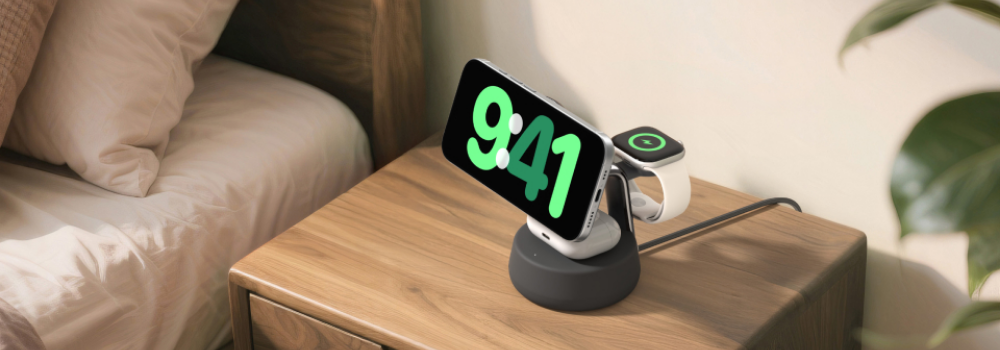
For the nightstand
- Qi2 25W
- 36W adapter in the box
- 6.6ft/2m cable
- Charges an iPhone 16 to 50% battery in 29 minutes
- Magnets hold the phone in place
- Kickstand and finger loop
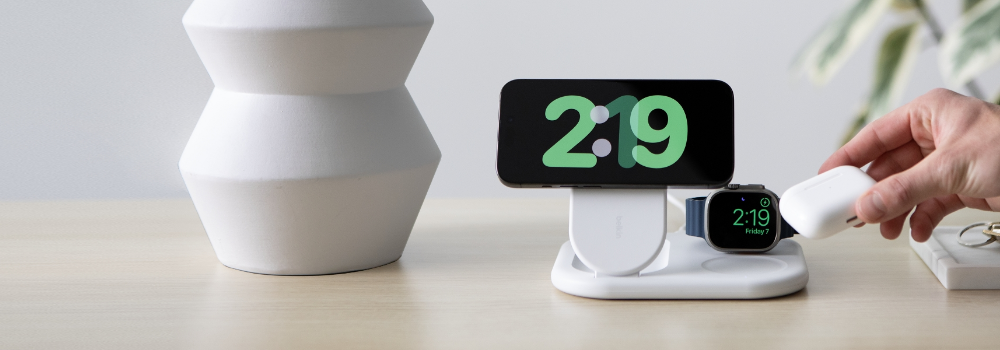
For the desk
3-in-1 Foldable Magnetic Charger with Qi2 25W
- Qi2 25W
- 45W adapter in the box
- Folds flat
- Charges an iPhone 16 to 50% battery in 29 minutes
- Phone, Apple Watch and AirPods at once
- ChillBoost passive cooling
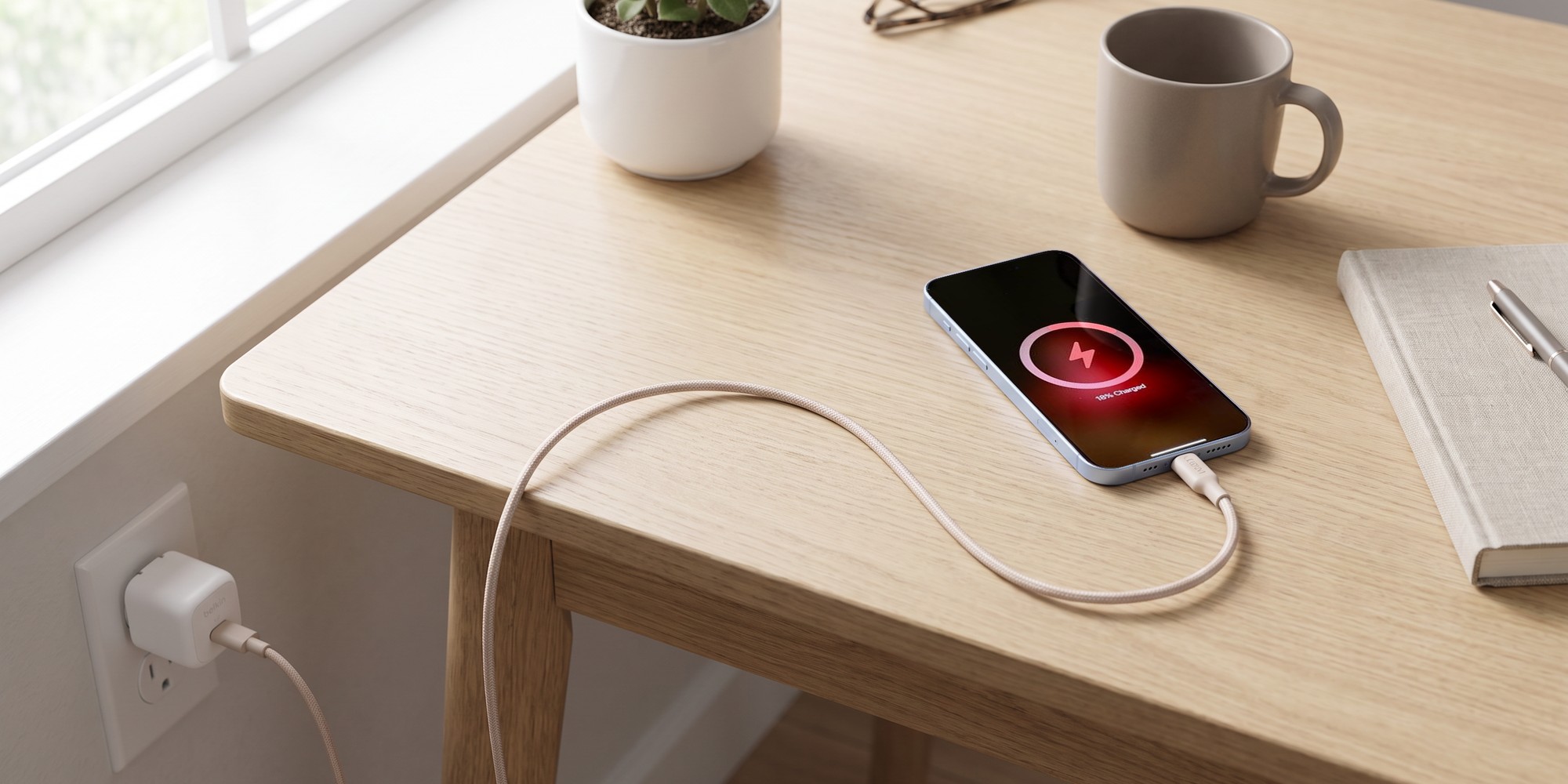
For the bag
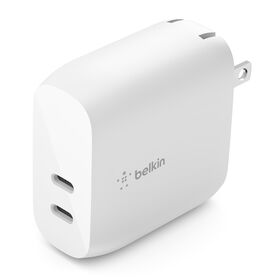
Dual USB-C PD Wall Charger 40W
- 40W
- 2 USB-C ports
- 20W each
- Charges an iPhone 16 to 50% battery in 26 minutes
- Foldable prongs for travel
- Charges 2 phones at once
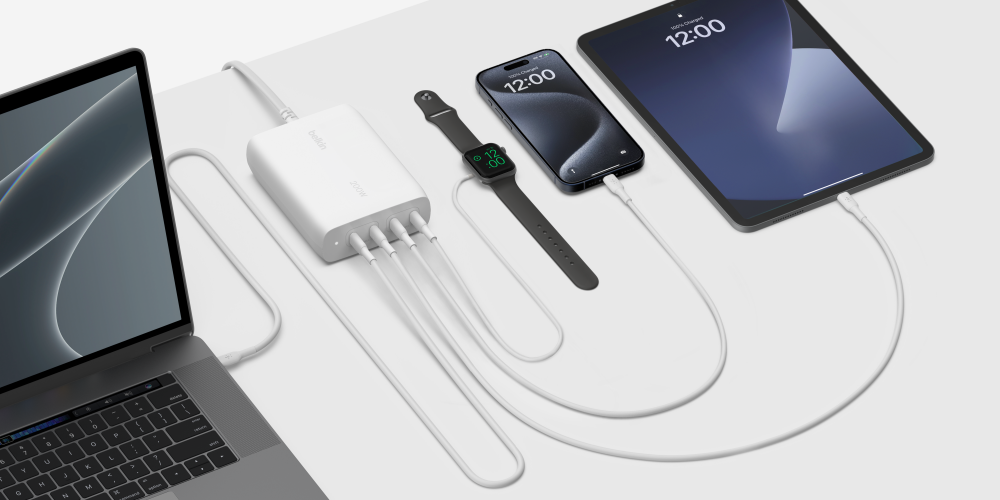
For a laptop too
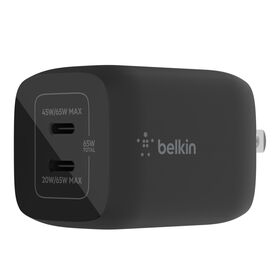
Dual USB-C GaN Wall Charger with PPS 65W
- 65W
- 2 USB-C ports
- PPS
- 65W to 1 device, or 45W and 20W across 2 devices
- Runs a laptop and a phone at once
- GaN, so it stays small at 65W
The Magnetic Charger with Qi2 25W also ships without the adapter, for anyone who already owns a 35W or higher cube. For a Galaxy or a Pixel, the Modular Charging Dock in the carousel below is the one Belkin benchmarks on Android. It takes a Pixel 10 Pro XL to 50% battery in 30 minutes.
Why trust Belkin
Belkin has made phone and laptop accessories since 1983. Every charger on this page carries a 2-year warranty and a $2,500 Connected Equipment Warranty. The speed figures come from Apple, Samsung, the Wireless Power Consortium and each product's own page, linked where they are used.
Wireless vs Wired Charging: Your Questions Answered
Is wired charging faster than wireless charging?
Yes. Apple rates the iPhone 18 Pro at 50% battery in 15 minutes on a 60W adapter with Adjustable Voltage Supply. On a MagSafe Charger the same 50% takes 30 minutes. Samsung's Galaxy S26 Ultra reaches 75% battery in 30 minutes wired and 50% battery in 31 minutes on its Qi2 25W charger.
How much slower is wireless charging?
About half the speed at the top end. Apple's own pair is 15 minutes to 50% battery on a cable against 30 minutes on MagSafe for the same iPhone 18 Pro. Apple's fast charge article lists the adapter each figure needs.
Is wireless charging less efficient than wired charging?
Yes, by Apple's own account. In the EU an iPhone shows a notice the first time it charges wirelessly, and the notice says wireless charging might use more power than wired charging. No maker publishes a percentage, and the difference leaves as heat.
Is wireless charging bad for your phone's battery?
No primary source says so. Apple ties battery aging to temperature, charge cycles and time spent at 100%, not to the charging method. Optimized Battery Charging and the 80% to 100% charge limit work the same on a pad or a cable.
Do wireless chargers work with every phone?
Every current iPhone and Galaxy S26 charges on a Qi2 charger, and so does any older Qi phone, at its own rate. What varies is the rate: 25W on an iPhone 18 Pro or a Galaxy S26 Ultra, 15W on an iPhone 15 or a Galaxy S26.
What are the advantages of wireless charging?
The phone charges every time you set it down, with no port to find and no cable to wear out. A magnetic charger holds it in place, and a 3-in-1 stand charges a watch and earbuds beside it. With Qi2 25W, a current iPhone reaches 50% battery in 30 minutes.
What are the disadvantages of wireless charging?
It is slower than a cable on an iPhone 18 Pro, 30 minutes to 50% battery against 15 minutes on a 60W adapter with Adjustable Voltage Supply. It uses more power for the same charge, the extra leaves as heat, and the phone stops charging the moment you pick it up. A Galaxy also needs a magnet case.
Is a magnetic charger better than a regular wireless pad?
For most people, yes. The magnets line the phone up on the coil every time, which a flat pad leaves to you. They also let the charger be a stand or a car mount. Whether MagSafe and Qi2 are the same thing is answered in our MagSafe and Qi2 post.
Does the wall adapter matter for a wireless charger?
Yes, it sets the speed, and Apple's 25W needs a 30W or greater adapter while the iPhone 18 Pro's 50% battery in 30 minutes needs 35W. Samsung's 25W needs a 45W adapter or a PPS adapter at 20V. On an iPhone, a 20W adapter behind the pad gives 15W of wireless charging. Some Belkin chargers include the adapter and some do not.
Is Qi2 25W as fast as a cable?
Not quite, but close enough for a nightstand. The Wireless Power Consortium's figure for Qi2 25W is 0 to 50% battery in 30 minutes, the same as Apple's MagSafe figure. A cable on a 60W adapter with Adjustable Voltage Supply does the same iPhone 18 Pro in 15 minutes. The Qi standard page has the certification detail.
Should I charge my phone overnight on a wireless charger?
Yes, if you like. Overnight is the case wireless charging is built for, and a night is longer than any charge needs. An iPhone's Optimized Battery Charging holds at 80% until you usually wake. Set a charge limit if you want the battery to spend less time full.
Is a wireless charger worth it?
If your phone spends time on a nightstand, a desk or a car mount, yes. It charges every time you put the phone down. Keep a cable for the 15-minute top-up before you leave. Belkin's Qi2 wireless chargers are the 25W ones.
Shop Wireless and Wired Chargers
Every wireless charger here is Qi2 25W. Every wall charger has 2 USB-C ports.
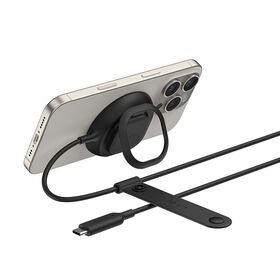
Wireless charger
Magnetic Charger with Qi2 25W
$39.99Shop
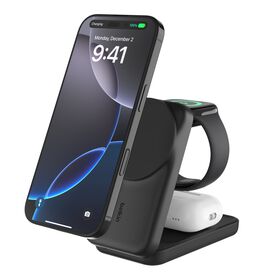
3-in-1 wireless charger
3-in-1 Foldable Magnetic Charger with Qi2 25W
$99.99Shop
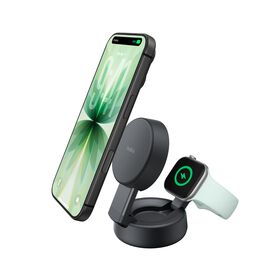
2-in-1 wireless charger
2-in-1 Convertible Magnetic Charger with Qi2 25W
$99.99Shop
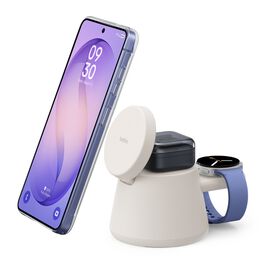
Modular dock
Modular Charging Dock with Qi2 25W
$64.99Shop
Wall charger
Dual USB-C PD Wall Charger 40W
$23.99Shop
Wall charger
Dual USB-C GaN Wall Charger with PPS 65W
$50.99Shop