
How to Maximize Your iPhone 17 Battery Life: Charging & Settings Tips
September 9, 2024
Updated: May 06, 2026
The iPhone 17 family is here, with iPhone 17, 17 Pro, and 17 Pro Max delivering up to 40W USB-C fast charging and 25W Qi2.2 wireless charging, while iPhone Air keeps things light at 20W. With faster charging comes new questions about preserving battery health. In this blog, we cover the right charging habits, settings tweaks, and accessory choices to help your iPhone 17 battery last longer and perform better over time.
Understanding Battery Health
The battery in your iPhone is a lithium-ion battery, known for its efficiency. From laptops and cell phones to hybrids and electric cars, lithium-ion batteries power plenty of our everyday essentials. Compared to traditional batteries, lithium-ion batteries are designed to charge faster and pack a powerful punch in a small package. Let’s look at what causes damage to them, and what we can do to increase their efficiency and extend their lifecycle:
- Charge Cycles: When you use your iPhone, its battery goes through charge cycles. A single cycle is completed when you’ve used an amount that represents 100 percent of your battery’s capacity. Over time, these cycles will diminish battery life.
- Heat: Excessive heat can cause your battery to degrade faster. Keeping your iPhone in high-temperature environments, like directly in the sun at the beach, or using it while charging can generate more heat. You’ll know your phone is overheating when you receive a temperature warning, notice your apps glitching or crashing or your phone suddenly shuts down. Try to keep your iPhone in a temperature range of 16° to 22°C (62° to 72°F).
- Charging Habits: Frequently letting your battery drop to 0% or always charging it to 100% can reduce its lifespan. Lithium-ion batteries last longest when kept between a 25% and 85% charge. Charging your phone whenever convenient and not waiting for it to die regularly will maximize the battery's life.
iPhone Battery Settings Tips
There are plenty of ways to maximize the battery life of your iPhone in your settings alone. Let’s take a look at some simple updates that can help extend battery life:
- Reduce Screen Brightness: Lowering your screen brightness or enabling Auto-Brightness can save a lot of battery. Go to Settings > Display & Brightness.
- Turn Off Background App Refresh: Disable this feature for apps that don’t need to update in the background. Go to Settings > General > Background App Refresh.
- Limit Location Services: Only allow location access to apps when necessary. Go to Settings > Privacy > Location Services.
- Disable Push Email: Set your email to fetch data manually or less frequently. Go to Settings > Mail > Accounts > Fetch New Data.
- Turn Off Unnecessary Notifications: Reducing the number of notifications can save battery life. Go to Settings > Notifications.
- Use Dark Mode: Change your phone to Dark Mode (i.e. have your emails/message shown in black background) can extend battery life and usage. Go to Settings > Display & Brightness.
- Limit Navigation Apps: Navigation apps like Waze continue to use your GPS even after you’ve arrived at your destination. Go to Settings > App (i.e. Waze) > Location.
Top 5 iPhone Charging Best Practices
Even with the right gear, the way you charge your phone will determine battery health and longevity. Here are some tips and best practices for charging your iPhone with the right habits:
- Avoid Overcharging: Overcharging your phone generates excess heat. Although modern smartphones, including the iPhone 17, have mechanisms to prevent overcharging, it’s still a good practice to unplug your device once it reaches about 80%.
- Optimize Battery Charging: The iPhone 17 comes with an "Optimized Battery Charging" feature that minimizes wear and tear on your battery by learning your daily charging routine. It waits to finish charging past 80% until you need to use it. You can enable this in your settings.
- Update iOS: Always make sure your device is updated to the most recent software. This will help eliminate glitching, slowdowns, and your battery working overtime to compensate.
- Optimize Settings: Be sure to adjust your screen’s brightness whenever possible. You can enable the auto-brightness setting to adjust depending on your surroundings will extend your battery’s life. In addition, you can default to a WiFi connection when available, which uses less battery power than cellular data.
- Low Power Mode: This feature will tell you when your phone battery hits 20% and begin optimizing your device’s performance. Certain apps will stop downloading content in the background, and some will be disabled. You can still use essential functions like phone calls, email, messages, and internet, and as soon as the phone powers back up, it automatically switches off.
Types of iPhone Chargers: Wired vs. Wireless Charging
You might wonder whether wired charging is better than wireless charging. While one isn’t necessarily better than the other, learning the differences can help you make the best decision. There are a few factors to keep in mind:
- Charging Speed: Wired charging is still faster than wireless charging. On iPhone 17, 17 Pro, and 17 Pro Max, USB-C wired charging hits up to 40W, while Qi2.2 wireless charging tops out at 25W. iPhone Air supports 20W on both wired and wireless. The wireless gap has narrowed significantly thanks to MagSafe and Qi2.2's magnetic alignment, but wired is still the faster path when you need a quick top-up.
- Convenience: Wireless charging means less cable clutter, on-the-go convenience, and is preferable for traveling.
- Cost: Wired charging is going to be the most affordable solution, usually in the $20 to $40 range, with wireless chargers ranging from $20 to $150.
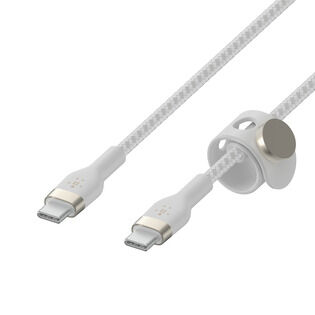
- Quality Cable: The cable you choose to charge your iPhone with is just as important as your charger. Using high-quality, USB-IF certified cables will ensure that the power transfer from the charger to the battery is efficient, and the risk of electrical shorts or overheating is minimal. For iPhone 15 and later (including iPhone 17 and iPhone Air), you'll need a USB-C to USB-C cable. We offer several options for safe, reliable charging.

More to Consider When Choosing an iPhone Charger
The type of charger you use will also affect your iPhone battery life. It’s important to find one that will help prolong battery life. Make sure to take these factors into consideration when choosing your charger:
- USB-IF Certified Chargers: USB-IF (USB Implementers Forum) guarantees compatibility and function for USB technology. A USB-IF certification means that your charger meets industry-set standards and provides quality products and performance. Non-certified chargers don't always have good voltage regulation, causing heat when your iPhone is forced to compensate. Additionally, poor quality chargers often emit electrical noise which can interfere with the cellular and radio functions of your iPhone, resulting in more heat as your phone tries to suppress the unwanted signals.
- Wattage and Power Delivery: The iPhone 17 family supports USB Power Delivery (PD) fast charging, with different ceilings per model:
- iPhone 17, 17 Pro, 17 Pro Max: up to 40W with a 30W or higher PD charger
- iPhone Air: up to 20W
- iPhone 15 and 16: up to ~27-30W
For the fastest possible charge on iPhone 17 Pro models, use a USB PD 3.1 (or newer) charger rated 40W or higher and a USB-C to USB-C cable rated for at least 60W (3A). Higher-wattage chargers (65W+) are safe; PD ensures the iPhone only draws what it needs.
iPhone 17 Charging Accessories
Taking care of your battery not only extends its lifespan but also enhances the overall performance of your device. So, choose wisely and charge smartly. Explore our rigorously tested, highly rated and high-quality charging options.
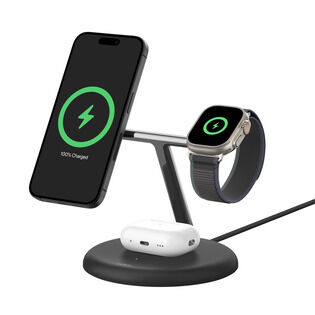
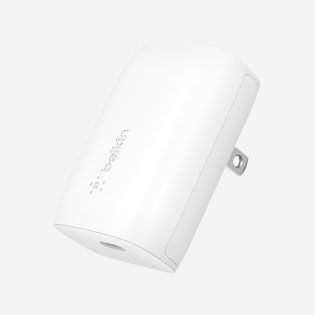
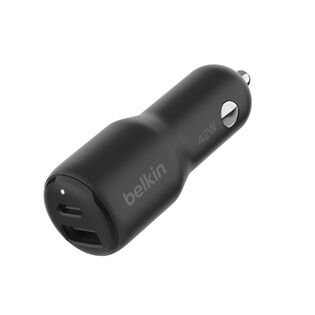
Belkin's Dual USB-C PD Wall Charger 40W and Magnetic Charger with Qi2 25W are both designed for iPhone 17 fast charging.
Not sure where to start? Our guides to wireless vs wired charging, why your phone might be charging slowly, and magnetic power banks can help you pick the right setup.
So the product callout is now blog-to-blog interlinked too, which is even better for the SEO graph than a resource-page link would have been.
How to Save iPhone 17 Battery: FAQs
Yes, it's safe to charge your iPhone 17 overnight. Make sure Apple's Optimized Battery Charging feature is enabled in Settings > Battery > Charging. It learns your daily routine and waits to finish charging past 80% until you actually need it, which reduces wear on the battery over time.
No. The iPhone 17, 17 Pro, and 17 Pro Max are designed to handle USB Power Delivery fast charging up to 40W safely, with built-in thermal management and charging-curve logic that protects long-term battery health. iPhone Air handles its 20W ceiling the same way.
Use USB-IF certified chargers and cables, avoid extreme temperatures, enable Optimized Battery Charging in Settings, and try to keep the battery between 25% and 85% rather than letting it drain to 0% or sit at 100% for long stretches.
Apple rates iPhone 17 Pro Max at up to 39 hours of video playback, the longest battery life of any iPhone to date. iPhone 17 Pro is rated at up to 33 hours, iPhone 17 at up to 30 hours, and iPhone Air at up to 27 hours.
Yes. The charger you choose affects both charging speed and long-term battery health. For iPhone 17 Pro models, a 40W or higher USB PD charger unlocks full 40W fast charging. For iPhone Air, anything 20W or higher gives you full speed. Always look for USB-IF certified chargers and a USB-C to USB-C cable rated for at least 60W (3A).
Yes. iPhone 15, iPhone 16, iPhone 17, and iPhone Air all use USB-C. iPhone 14 and earlier still use Lightning.
Use USB-IF certified chargers and cables, enable Optimized Battery Charging in Settings, keep your iPhone within Apple's recommended temperature range (16 to 22 degrees C / 62 to 72 degrees F), and try to keep the battery between 25% and 85% in normal daily use rather than running it to 0% or sitting at 100% for hours. For travel, where temperature extremes and unreliable outlets are common, a TSA-approved power bank is a useful safety net.
No. Any USB-IF certified charger is safe to use with iPhone 17. USB Power Delivery negotiates voltage and current with the phone, so even a 100W laptop charger only delivers what the iPhone is designed to draw.
Yes, the iPhone 17 family delivers meaningful battery improvements over iPhone 16 across every model:
- iPhone 17 Pro Max: up to 39 hours video playback (vs iPhone 16 Pro Max at 33 hours)
- iPhone 17 Pro: up to 33 hours (vs iPhone 16 Pro at 27 hours)
- iPhone 17: up to 30 hours (vs iPhone 16 at 22 hours)
- iPhone Air: up to 27 hours (no direct iPhone 16 equivalent)
iPhone 17 also supports faster wired charging (40W vs ~30W on iPhone 16) and faster wireless charging via Qi2.2 (25W on Pro models vs 25W MagSafe on iPhone 16). For battery longevity, both generations support Apple's Optimized Battery Charging, so the day-to-day care advice in this guide applies to either.
Shop iPhone 17 Charging Accessories
We hope you enjoyed this post. Signup for blog alerts, product announcements, and exclusive deals via emails and texts now.