Should I Upgrade to the Samsung Galaxy S26?

March 13, 2026


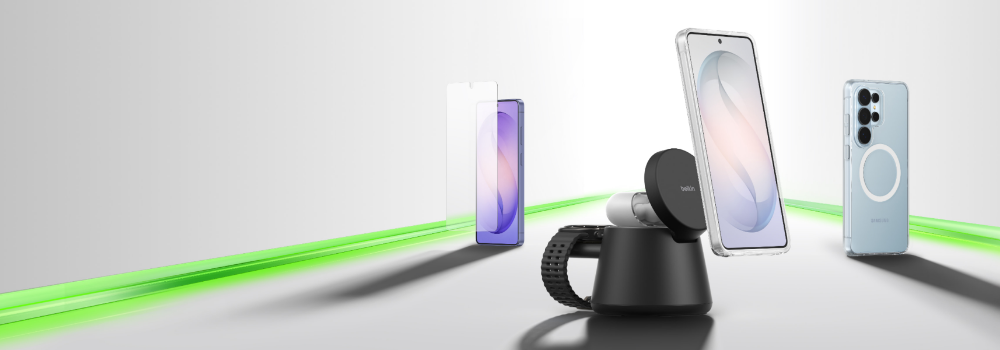
A lineup of smartphone accessories on a clean surface, including a screen protector, a phone on a magnetic charging stand, and a phone in a protective case, arranged along a glowing green accent line.

Every year, the same question comes up: Is this the year to upgrade?

With the Samsung Galaxy S26, the answer feels clearer than usual. This isn’t just a spec refresh. Samsung has improved two of the most noticeable parts of everyday phone use: how your device charges and how intelligently it assists you.

Whether you're coming from an S23, S24, or even an S25, the Galaxy S26 delivers meaningful improvements in charging speed, AI performance, display quality, and overall efficiency.

Here’s how to decide if it’s the right move for you.


Quick Answer: Should You Upgrade to the Galaxy S26?

You should upgrade to the Samsung Galaxy S26 if you:

  • Use wireless charging regularly

  • Want access to the Qi2 magnetic charging ecosystem (with a compatible magnetic case)

  • Are coming from an S24 or older device

  • Want faster wired charging (especially Ultra users)

  • Value AI-powered features that improve daily tasks

If you recently purchased an S25 and primarily rely on wired charging, waiting another year may be reasonable.


What Are the Most Impactful Upgrades on Galaxy S26?

The Galaxy S26 improves multiple areas at once — but some upgrades will matter more depending on how you use your phone.

Here’s a side-by-side look at what changed from the previous generation:


Galaxy S25 vs Galaxy S26 — Most Impactful Upgrades


Two themes stand out:

  • Charging is faster — especially on the Ultra

  • AI is more capable and more integrated into everyday tasks

Let’s look at those in more detail.


Faster Charging Changes Your Daily Routine

Most smartphone upgrades focus on cameras or processors. The Galaxy S26 stands out because it improves how you power your phone every single day.

What’s New with Galaxy S26 Charging

Qi2 magnetic charging allows your phone to snap into optimal alignment with compatible chargers — when paired with a magnetic case. This ensures better positioning, improved efficiency, and access to a growing ecosystem of magnetic docks and power banks.

If you charge wirelessly every day — at your desk, bedside, or in the kitchen — the speed improvements on the Ultra and Plus models are noticeable.

For Ultra users in particular, the jump from 45W to 60W wired charging also reduces full charge time when you need maximum speed.


Galaxy S26 AI: Smarter, Faster, More Helpful

Charging changes how you power your phone. AI changes how you use it.

The Galaxy S26 builds on Samsung’s Galaxy AI platform with faster on-device processing and deeper integration across apps.

Notable AI improvements include:

  • Faster on-device AI processing thanks to an upgraded neural engine

  • Smarter photo editing and object removal tools

  • Improved live translation and voice transcription

  • AI-generated summaries in Notes and Samsung Internet

  • More contextual search and assistant suggestions

These aren’t just demo features — they’re subtle tools that reduce friction throughout your day.

If you use your phone for work, travel, content creation, or productivity, the AI upgrades may feel just as meaningful as faster charging.


Coming from a Galaxy S25? Here’s What You Gain

If you're using a Galaxy S25, the upgrade decision is more nuanced — but still meaningful.

The S25 supported up to 15W wireless charging. The S26 increases speeds depending on the model, and continues to support Qi2 magnetic alignment when used with a compatible case.


Galaxy S25 vs S26 — Ultra Models

Verdict:

If you charge wirelessly often or want faster wired speeds, the Ultra upgrade is meaningful. Otherwise, waiting could make sense.


Coming from an S24 or S23? The Case Gets Stronger

Two generations back is often the sweet spot for upgrading.

What you’re missing:

  • Slower, non-magnetic wireless charging

  • No Qi2 ecosystem support

  • Older AI hardware

  • Lower display brightness and efficiency

  • Declining trade-in values

The Galaxy S26 brings improvements you’ll notice immediately — not just in charging, but in AI features, display performance, and everyday responsiveness.

Verdict: This is an ideal upgrade window.


Coming from an S22 or Older? Time to Make the Move

If you’re using a Galaxy S22 or earlier, the Galaxy S26 will feel dramatically newer.

Why upgrading makes sense:

  • Battery degradation after 3+ years

  • Major improvements in charging technology

  • All-new Galaxy AI features

  • Camera and display advancements

  • Software support timelines becoming limited

Verdict: Strongly consider upgrading.


What Galaxy S26 Accessories Do You Really Need?

To unlock the full charging potential of the Galaxy S26 — especially Qi2 magnetic alignment — compatible accessories matter.

The Bottom Line

Upgrade now if:

  • You use wireless charging daily

  • Faster charging speeds matter to you

  • You want access to the Qi2 magnetic ecosystem

  • You’re coming from an S24 or older device

  • You value improved AI features in daily use

Wait if:

  • You recently purchased an S25

  • You rely almost entirely on wired charging

  • Your current phone still performs well

For many users, the Galaxy S26 isn’t just another annual refresh — it meaningfully improves how your phone powers up and how intelligently it supports you throughout the day.

Shop S26 Accessories

*Varies by model and region.