

Welcome. Would you like to be redirected to the Belkin US website?
United States
https://www.belkin.com/cn/p/%E9%80%9A%E7%94%A8%E5%9E%8B-16-%E7%AB%AF%E5%8F%A3%E4%B8%89%E6%98%BE%E7%A4%BA%E5%B1%8F-usb-c-%E6%89%A9%E5%B1%95%E5%9D%9E/INC026qcBK.html
连接
新
通用型 16 端口三显示屏 USB-C 扩展坞
SKU:INC026qcBK

连接
新
通用型 16 端口三显示屏 USB-C 扩展坞
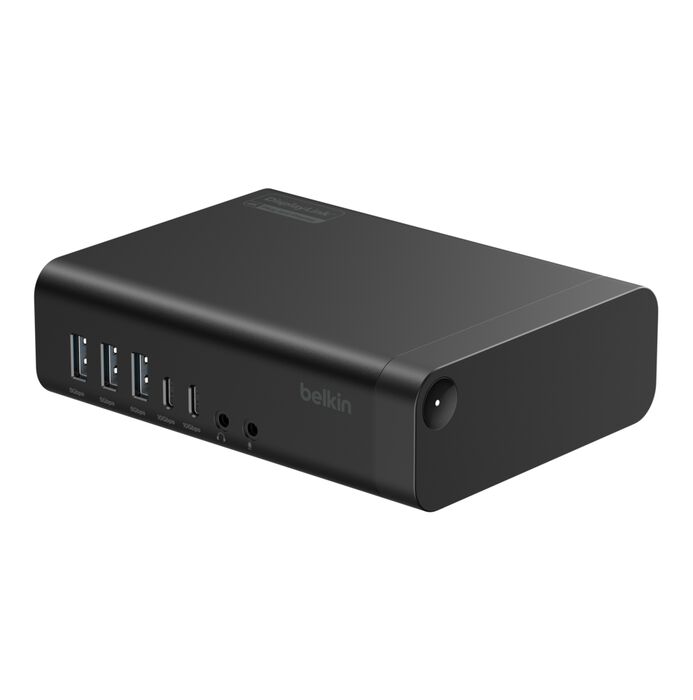
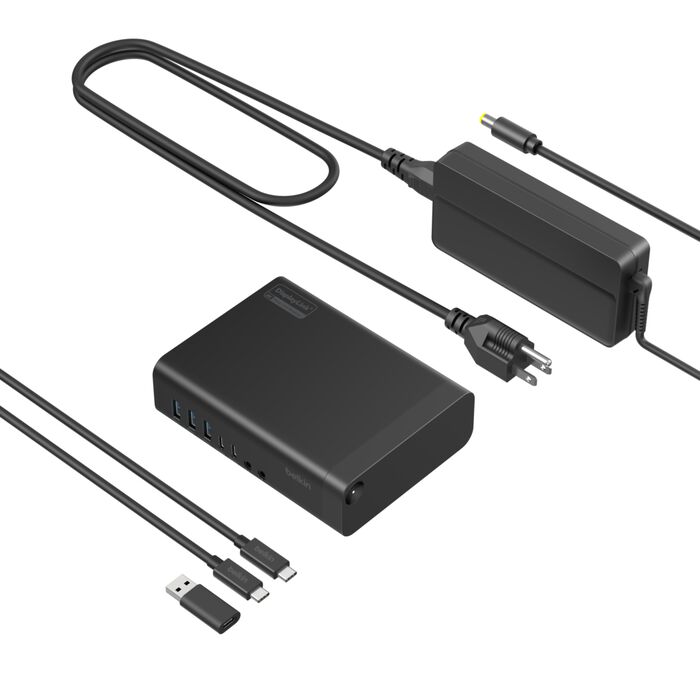
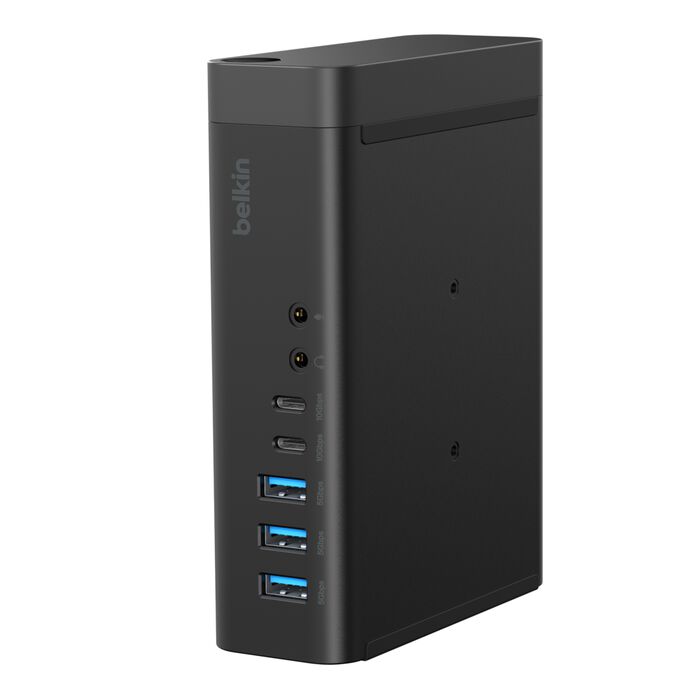
对于需要多屏显示的专业人士,这款扩展坞可将笔记本电脑的端口扩展至多达 16 个,从而连接三台显示器和更多设备。这款扩展坞采用先进的 DisplayLink 技术,配备 USB-C 转 USB-A 适配器,兼容旧款笔记本电脑;只需一根 USB-C 缆线,即可实现供电与端口扩展。它可对主机设备进行功率高达 100 瓦的 Power Delivery 快充,数据传输速度最高可达 10Gbps,并支持高达 2.5Gb 的以太网连接。
- 借助 DisplayLink 技术,将笔记本电脑显示画面扩展或镜像至多达三台显示器,分辨率最高可达 4K@60Hz†
- 将笔记本电脑扩展出 16 个额外端口,可用于数据传输、充电、媒体输出和有线以太网连接
- 通过功率高达 100 瓦的 Power Delivery 功能为主机设备和其他设备同时充电
- 数据传输速度最高可达 10Gbps,是 USB 3.0 的两倍
- 稳定可靠的 2.5Gb 有线以太网连接,带来高速网络体验
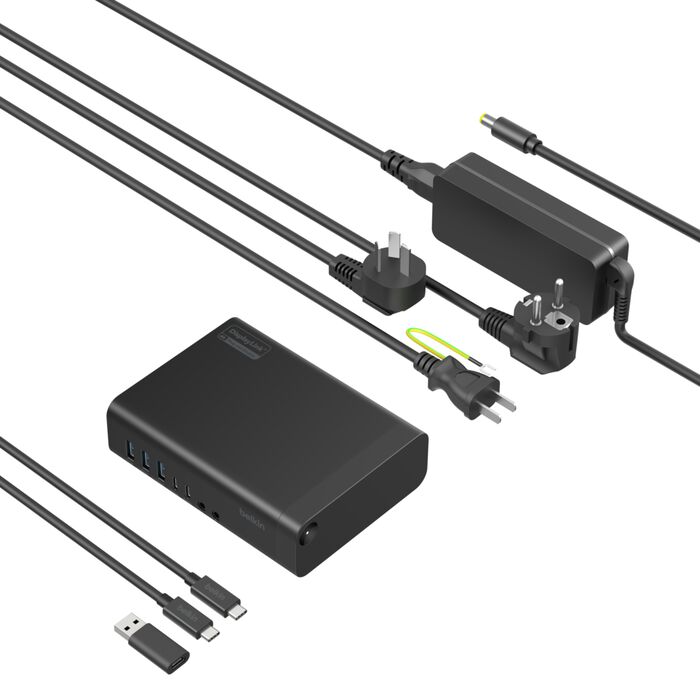
- Connect 通用型 16 端口三显示屏 USB-C 扩展坞
- 电源供应器
- USB-C 转 USB-C 缆线
- USB-C 转 USB-A 适配器
兼容支持 USB-C 的设备,包括笔记本电脑、平板电脑、智能手机,以及 Thunderbolt™ 5、Thunderbolt™ 4 和 Thunderbolt™ 3 端口。支持 Windows、Mac 和 Chrome OS 系统。
- Galaxy Book5 Pro 14"
- Galaxy Book6 Pro 14"
- Galaxy Book6 Pro 16"
- Galaxy Book6 Ultra 16"
- Galaxy Book6 Enterprise 14"
- Galaxy Book6 Enterprise 16"
集成/配套的线缆长度
- 1 米
Dimensions (LxWxH)
- 140 毫米 x 105 毫米 x 40.1 毫米
- 重量:517 克
- 随附 USB-C 缆线长度:1 米
- 电源供应器缆线长度:1 米
Warranty and Support
- 3 年质保
Ports
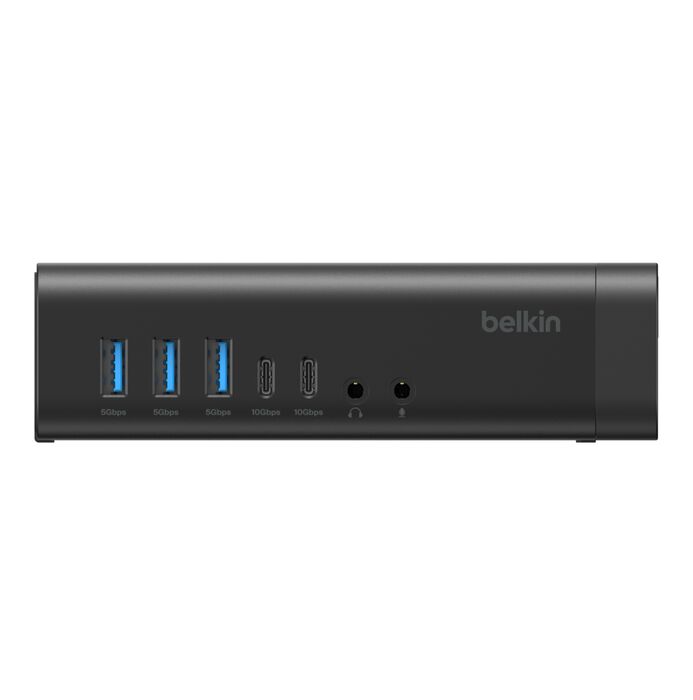
- 正面:
- 2 个 USB-A 3.0 端口
- 1 个 USB-A 3.0 端口
- 1 个 USB-C 3.2
- 3.5 毫米立体声耳机插孔
- 3.5 毫米麦克风插孔
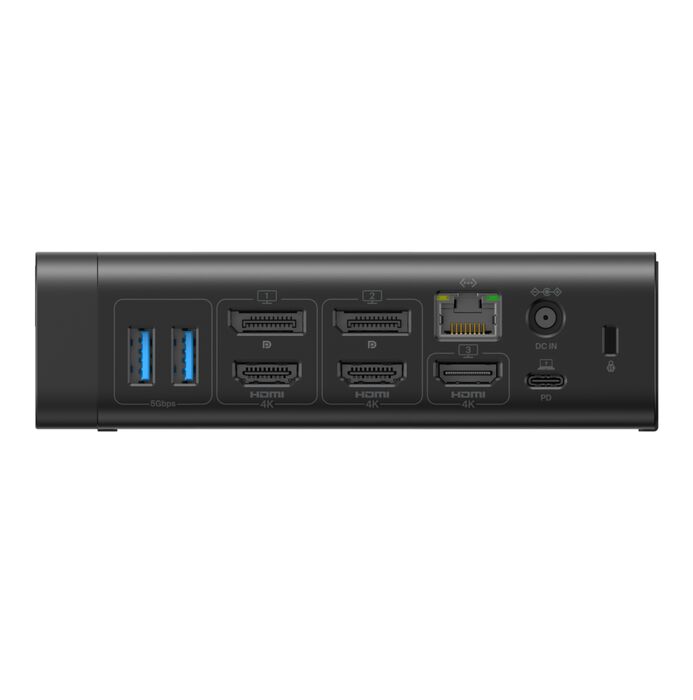
- 背面:
- 2 个 DisplayPort (4K@60Hz) 端口
- 3 个 HDMI 2.0 (4K@60Hz) 端口
- 2.5Gb 以太网端口
- USB-C 3.2 100 瓦 PD
- 150 瓦电源供应器
16 个端口
三显示器
100W Power Delivery
2.5Gb 以太网端口
内含电源
5 点式安全系统


|
image
|

|

|
|
|---|---|---|---|
|
name
|
|||
|
供电
|
100 W
无
|
无
|
100 W
无
|
|
電源供應器 (PSU)
|
包括
无
|
无
|
不包括
无
|
|
外接显示器
|
1 2 3+
无
|
无
|
2
无
|
|
分辨率
|
4K
无
|
无
|
4K
无
|
|
科技
|
DisplayLink
无
|
无
|
MST
无
|
|
数据传输速度
|
10 Gbps
无
|
无
|
10 Gbps
无
|
|
输入
|
音频输入/输出 DisplayPort 网口 HDMI SD USB-A USB-C
无
|
无
|
无
|
|
输入
|
无
|
无
|
USB-C USB-A HDMI 以太网
无
|
|
Weight
|
无
|
无
|
122 克
无
|
|
Ports
|
正面: 2 个 USB-A 3.0 端口 1 个 USB-A 3.0 端口 1 个 USB-C 3.2 3.5 毫米立体声耳机插孔 3.5 毫米麦克风插孔 背面: 2 个 DisplayPort (4K@60Hz) 端口 3 个 HDMI 2.0 (4K@60Hz) 端口 2.5Gb 以太网端口 USB-C 3.2 100 瓦 PD 150 瓦电源供应器
无
|
无
|
2 个 USB-C 3.2 (10Gbps) 端口 2 个 USB-A 3.0 (5Gbps) 端口 1Gb 以太网端口 USB-C 3.2(100 瓦 PD,10Gbps)端口 2 个 HDMI 2.0 (4K@60Hz) 端口 显示器隐私按钮,可开启/关闭已连接的外接显示器
无
|
|
Dimensions (LxWxH)
|
140 毫米 x 105 毫米 x 40.1 毫米 重量:517 克 随附 USB-C 缆线长度:1 米 电源供应器缆线长度:1 米
无
|
无
|
123 毫米 x 60 毫米 x 17 毫米
无
|
|
Warranty and Support
|
3 年质保
无
|
无
|
3 年有限售后保障
无
|
|
集成/配套的线缆长度
|
1 米
无
|
无
|
自带固定式 USB-C 缆线长度:22 厘米
无
|
†DisplayLink 图形技术兼容多种计算平台和连接器类型,让几乎所有显示器和系统都能协同工作。††只需连接 MacBook、PC 或 Chromebook,即可共用同一套大屏显示器、键盘和鼠标。无论是工作、观看流媒体还是玩游戏,都可以享受到轻松便捷的连接、稳定的联网性能和超低延迟。使用扩展坞前,请先下载 DisplayLink 驱动程序。
††完整功能取决于主机电脑。
*外壳(不含缆线)由至少 75% 的消费后回收塑料制成。